
Designing AI-Powered Report Generation with KAIS
Transforming static data into smart, decision-ready reports
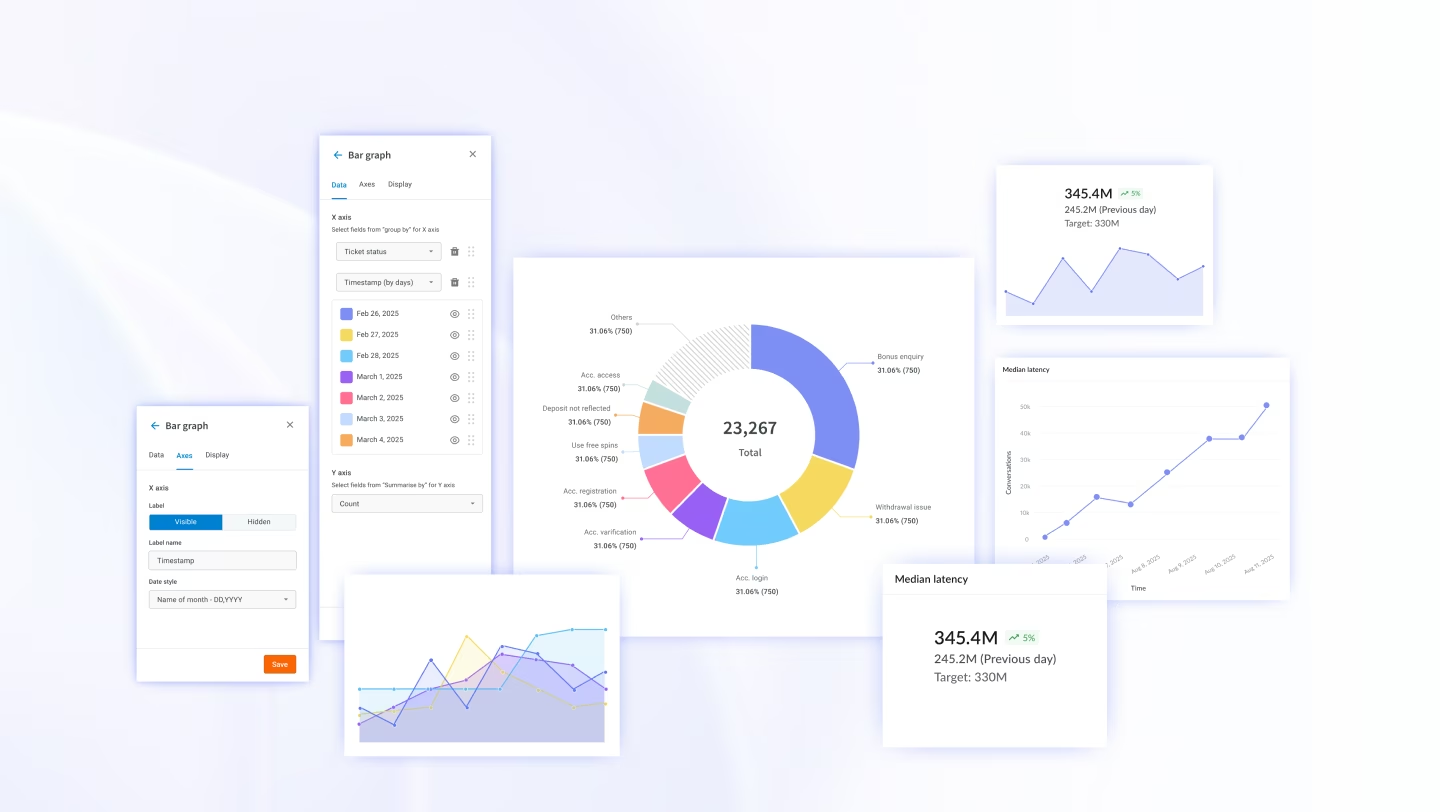
Product Design
AI Features
KEBS
Overview
Created AI-powered dashboards that deliver automated insights
As a Product Designer at KAIS (a Professional Services Automation platform), I was tasked with reimagining the report generation experience. Reporting is one of the most frequently used features, but existing workflows were slow, rigid, and not insight-driven.
I saw an opportunity to leverage AI + UX design to make reports smarter, faster, and more impactful.
Context
What is KAIS?
KAIS (KEBS AI System) is a Professional Services Automation platform that helps organizations manage their projects, resources, finances, and client relationships. The platform serves teams that rely on accurate, timely reporting to make critical business decisions.
Challenge
Core Problems Identified
From research and user sessions, I identified three core problems:
• Manual effort → Teams spent hours compiling and formatting data.
• Rigid workflows → Templates lacked flexibility.
• Static reports → Delayed insights meant slower decision-making.
This inefficiency frustrated users and slowed business growth.
Dashboard takes forever to load and by the time data appears, the meeting has already moved on to the next topic.
Static tables show me what happened last week, but I need to know what's happening right now to make quick
decisions.
Every time I need a custom report, I have to wait hours or even days for someone to generate it manually for me.
The dashboards are so cluttered with data that I can't
extract actionable insights quickly. It's overwhelming and time-consuming.
Design Process
1. Research & Benchmarking
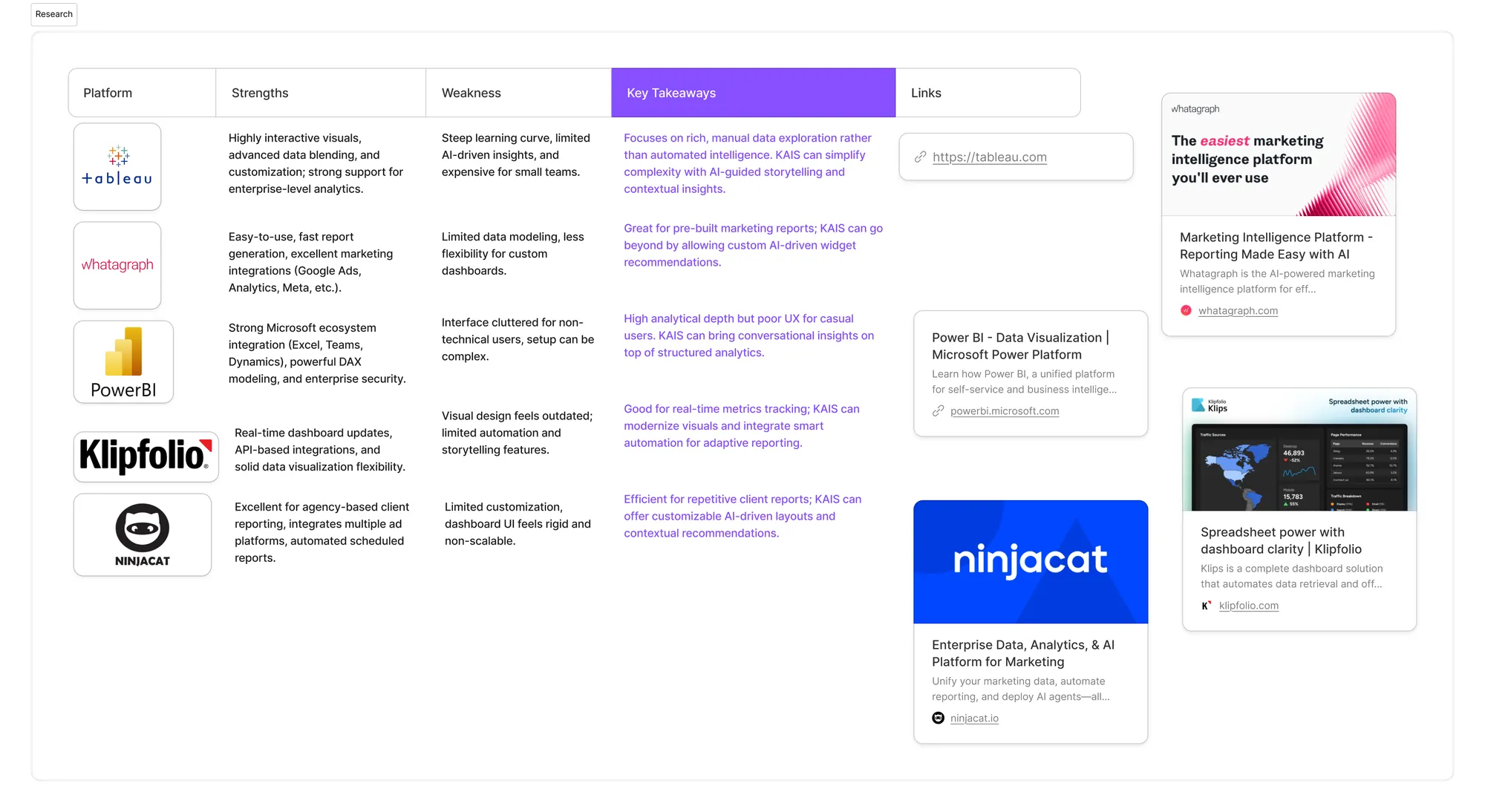
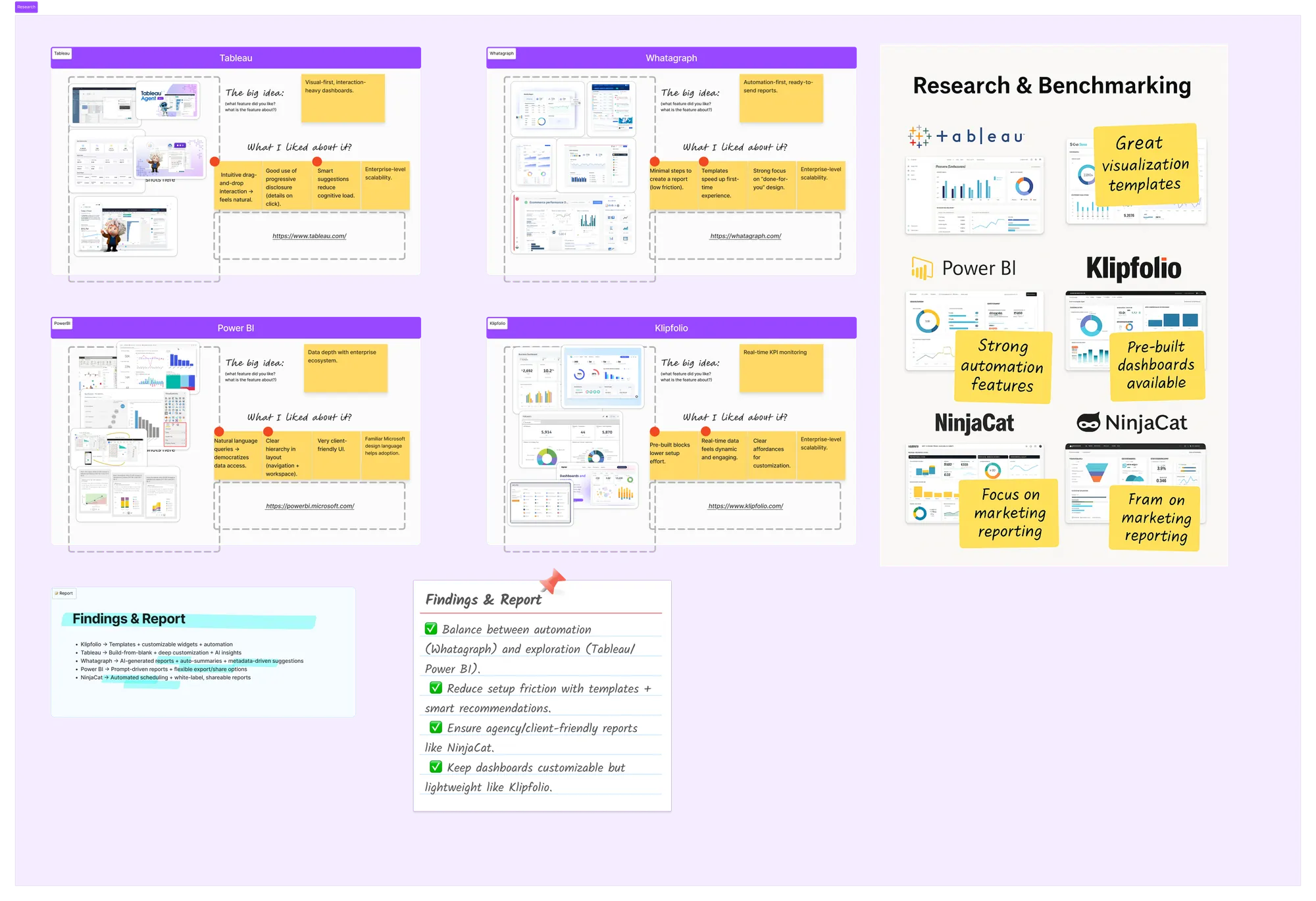
I studied platforms like Tableau, Whatagraph, Power BI, Klipfolio, and NinjaCat to understand the strengths of existing tools and where KAIS could stand out.
2. Ideation
I designed three report generation paths:
• Generate with KAIS (AI-first) → User selects Generate Report → Create with KAIS → selects module, inputs metadata and prompt → KAIS AI auto-generates the report, widgets, summaries, and insights.
• From Templates → Pre-built templates that can be customized for content and widgets.
• From Blank → Start with an empty report, add AI-assisted widgets individually, including summaries and recommendations.
3. Designing for Flexibility
• Editable and customizable widgets
• Support for multiple tabs → Users can switch between report tabs seamlessly
• Preview mode before finalizing → Ask KAIS for insights or recommendations
• Automation, sharing, exporting (Excel/PDF)
• Save as templates for reuse
4. Validation & Iteration
Mapped user flows, tested with stakeholders, and iterated to balance usability + business needs.
The redesigned KAIS Report Generator
The redesigned KAIS Report Generator empowers users to:
• Generate reports instantly with AI
• Customize every widget and structure reports flexibly
• Ask for real-time insights and recommendations inside reports
• Automate recurring reports and share/export with ease
Create AI Reports with KAIS
Users begin by selecting 'Generate Report' → 'Create with KAIS'. They choose the relevant module, input metadata, and add a prompt. KAIS then processes the input and instantly generates a fully structured report—reducing effort and cutting report creation time from hours to minutes.
Customize Widgets with KAIS
After the report is generated, users can fine-tune it using the KAIS input box. They can edit content, adjust layouts, and refine how data is visualized—similar to platforms like Whatagraph—ensuring the report fits their exact context.
Preview & Ask KAIS for Insights
In preview mode, users can query KAIS for insights, summaries, and recommendations. The AI interprets the data in real-time, helping decision-makers quickly understand trends and take action.
Create a Blank Report with AI Widgets & Seamless Navigation
For complete flexibility, users can start with a blank report. Using KAIS AI, they add widgets one by one. The AI suggests structure, visualization formats, and contextual data placement—making manual setup faster and smarter.
Once reports are built, users can switch between multiple report tabs seamlessly, compare different perspectives side by side, and perform actions without breaking their workflow—ensuring a smooth, consistent, and intelligent reporting experience.
Add Summary & Recommendation Widgets
To make reports more decision-ready, users can add dedicated widgets like Summary and Recommendations. KAIS automatically generates contextual insights, transforming static reports into actionable tools.
Perform Actions Effortlessly with KAIS
Once a report is generated, users often need to share, export, or automate it for recurring use. To simplify these workflows, KAIS brings all essential report actions into one unified panel.
With a single click, users can:
• Share report links instantly across teams
• Automate report generation to save time on recurring tasks
• Save as team templates for consistent reporting standards
• Switch to full-screen view for presentations or reviews
• Download as PDF or export to Excel for offline access
• Organize reports by moving them to folders
• Manage report sources to refine or update connected data streams
This design reduces navigation effort and empowers users to perform all reporting actions contextually—right where they work.
Outcomes
Business Impact & Results
65%
faster report creation → From hours to
minutes
18%
Revenue Growth enabled by quicker
reporting and decision making
60%
of sales rep are unable to understand the
buyer's need and intent and sell according
to that.
70%
New profit opportunities → Reports
packaged as value-added services for
customers
Reflection
Key Learnings
This project taught me that:
👉 Great design doesn't stop at usability — it drives measurable business growth.
By merging AI intelligence with user-centric design, I created a flow that not only improved UX but also contributed to profitability and competitive advantage.
From this user story feature, I learned that:
• I can identify deep user pain points and translate them into meaningful product solutions
• Benchmarking against industry leaders helps me design smarter, more competitive experiences
• Combining AI with UX design creates reports that are not just functional, but intelligent and adaptable
• Thoughtful design can directly drive business impact, from efficiency gains to revenue growth
• Iterating with real user feedback ensures the solution is both usable and valuable
Ultimately, this feature shows how I design products that scale with users' needs and drive company success.