
KEBS - AI Native Enterprise ERP Platform
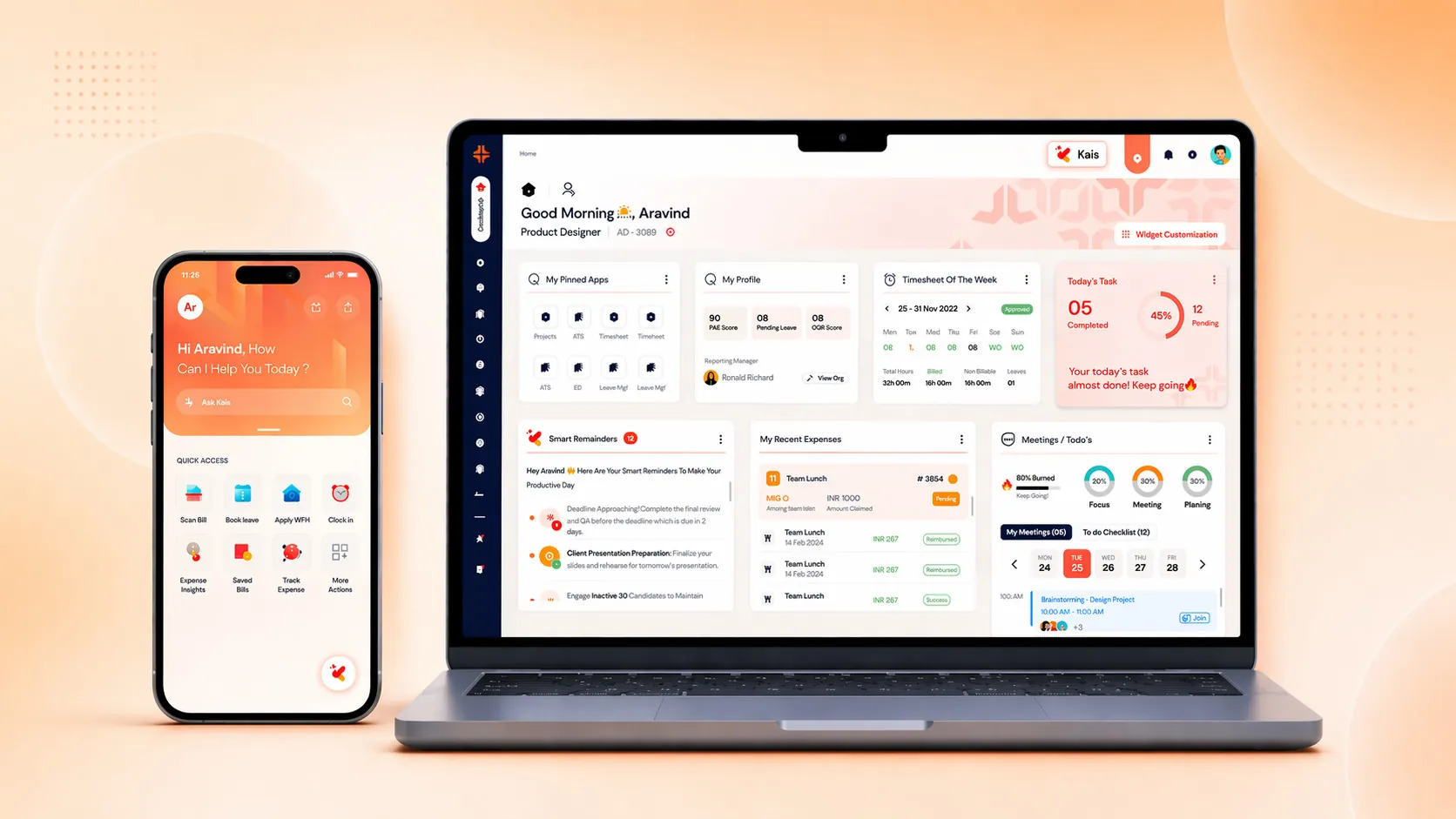
Product Designer
2024 — Present
Web & Mobile
Enterprise SaaS
Overview
Unifying fragmented business operations
KEBS is an AI-Native enterprise ERP platform built to unify fragmented business operations—CRM, HR, recruitment, resource management, projects, finance, and reporting—into a single intelligent system positioned around the Quote-to-Cash lifecycle to drive visibility and control.
KEBS was designed to replace this fragmented stack with a single source of truth, embedding AI directly into operational workflows while keeping humans firmly in control of decisions.
Positioning
Full-scale ERP positioned around Quote-to-Cash
KEBS is architected as a full-scale ERP, but positioned around Quote-to-Cash to:
• Simplify adoption
• Communicate value clearly
• Enable faster decision-making
💡 "Q2C is the entry point. ERP is the system underneath."
THE PIVOT APPROACH
From features to clarity
KEBS started as a traditional ERP system built initially for internal KAAR users. As a small team began working closely with external clients, a clear insight emerged: Customers didn't need more features — they needed clarity and visibility.
We pivoted the platform positioning to Quote-to-Cash, focusing on:
• Visibility over complexity
• Decisions over dashboards
• Trust over blind automation
WHERE IT ALL STARTED
A product reset
When the system needed clarity, cohesion, and a fresh UX direction, I stepped into the team. I had the opportunity to lead the redesign of the entire platform, with a clear mandate:
• Rethink KEBS as a standalone Q2C system
• Unify fragmented applications under one mental model
• Explore how AI could reduce effort without increasing risk
"This wasn't just a redesign—it was a product reset."
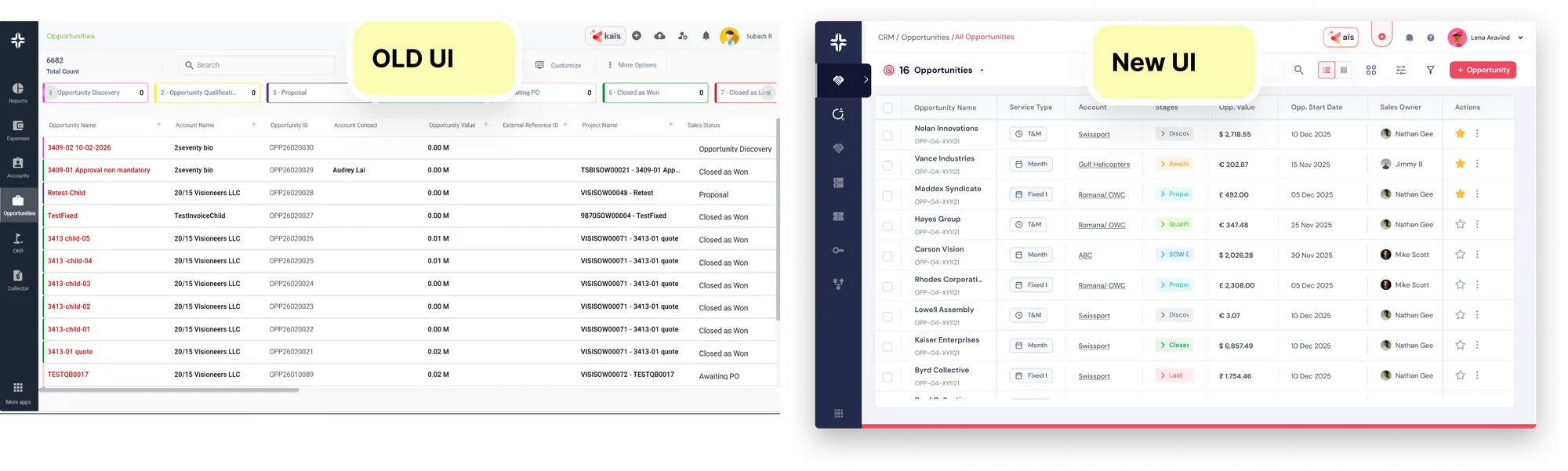
Sample opportunity landing page screen
DISCOVERY
User Pains And Gains
Users complained the ERP felt heavy, slow to use, and hard to learn.
What I discovered: The real issue wasn't UI complexity — it was cognitive overload caused by role-agnostic workflows.
Different users (Finance, HR, PMs, Founders) were forced through the same flows, even though their goals and mental models were completely different.
Key Constraints
• ERP had legacy architecture → couldn't break flows freely
• Multiple modules shared dependencies → changes had ripple effects
• Users ranged from founders to junior recruiters
• Minimal tolerance for errors (finance ≠ forgiving UX)
Every design decision needed to balance:
usability × accuracy × system constraints
MY CORE DESIGN BELIEF
My goal is not to keep users in the platform longer. My goal is to help them leave faster—with confidence.
Users should spend less time navigating the system and more time making decisions they trust. This is only possible when workflows are easy to understand, actions are predictable, and AI is transparent.
How I Built Trust
💡 "Trust doesn't come from automation. It comes from visibility and control."
• Showing users what the system is doing
• Explaining why AI is suggesting something
• Allowing humans to override irreversible decisions
UX APPROACH
Fixing the problem
Problem Framing over Feature Requests
Enterprise requirements often describe symptoms, not root problems. I worked closely with stakeholders to uncover the real operational friction behind feature asks.
Stakeholder interviews, workflow audits, assumption mapping
Designing for Multi-Role Complexity
Each module served different personas with different goals. I designed role-aware workflows that adapted contextually without fragmenting the system.
Persona mapping, role-based flows, permission modeling
AI as an Embedded Assistant
AI was integrated directly into workflows—filtering candidates, generating reports, suggesting actions—while keeping human review and override as default.
AI interaction mapping, confidence indicators, explainability patterns
Speed with Accountability
To support fast-moving product teams, I introduced AI-assisted design iteration while maintaining strong design QA and review practices.
AI-assisted prototyping, iterative validation, design reviews
Governance & Consistency at Scale
As the platform grew, consistency became a UX problem. I treated the design system as a decision-making framework, not just a UI kit.
Design system governance, component audits, accessibility reviews
My Decisions & Trade-offs
• Said no to a standalone AI chatbot to reduce context switching
• Rejected full automation in revenue-critical workflows
• Chose consistency over early customization
• Prioritized irreversible decisions over reversible ones
• Optimized system health over short-term speed
Every "no" strengthened the product.
Key Decisions I Owned
Role-Based Workflow Separation
DECISION
I proposed role-specific entry points instead of a single universal dashboard.
WHY
Founders wanted overview. Finance wanted precision. Recruiters wanted speed.
TRADE-OFF
More initial IA complexity — but far lower cognitive load per user.
Simplifying Quote-to-Cash Flow
DECISION
Collapsed a multi-screen QTC flow into fewer, decision-centric steps.
WHAT I SAID NO TO
Adding more validations early (engineering suggestion) that slowed users.
WHY
Validation timing matters more than validation quantity.
Making System State Visible
DECISION
Introduced clear system states (Draft, Pending, Approved, Locked).
WHY
Users were anxious about "what happens next" — not button placement.
Design Execution
- •User journeys per role
- •Modular IA to support ERP scale
- •Low-fi → high-fi iteration
- •Usability testing
- •Handoff with edge-cases
(I intentionally optimized for clarity over visual flair — ERP users value trust, not decoration.)
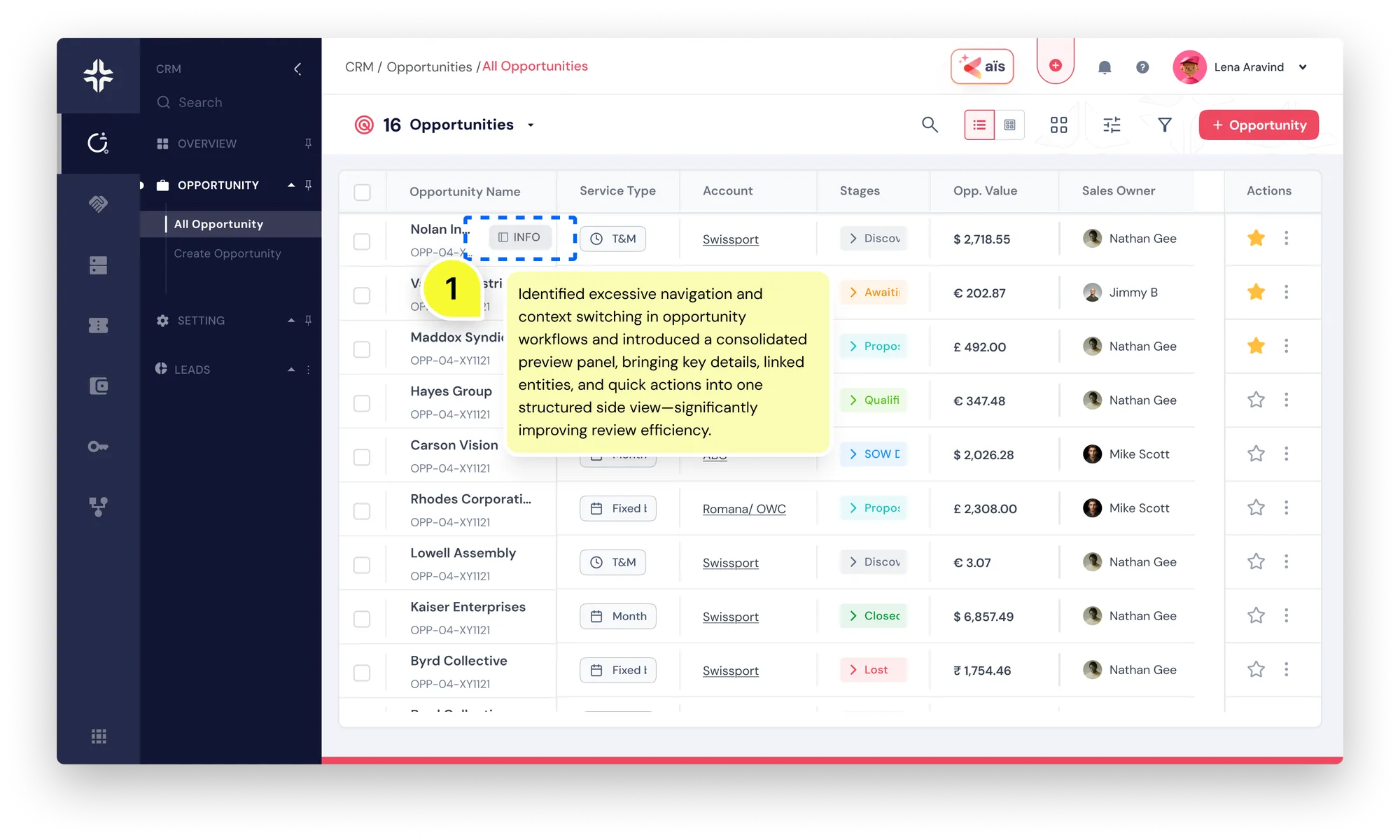
CRM opportunities landing page with improved navigation
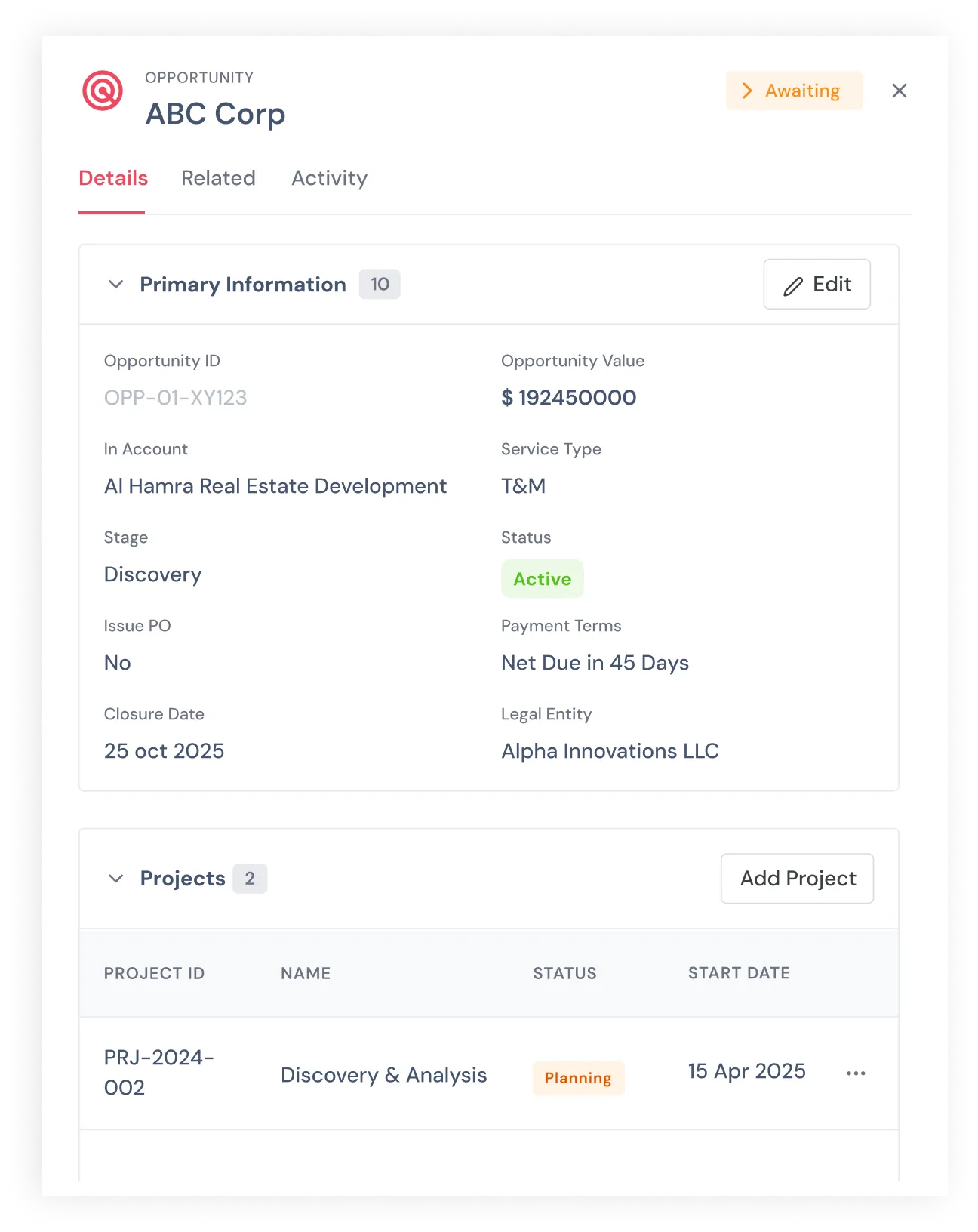
Opportunity detail page showing primary information and projects
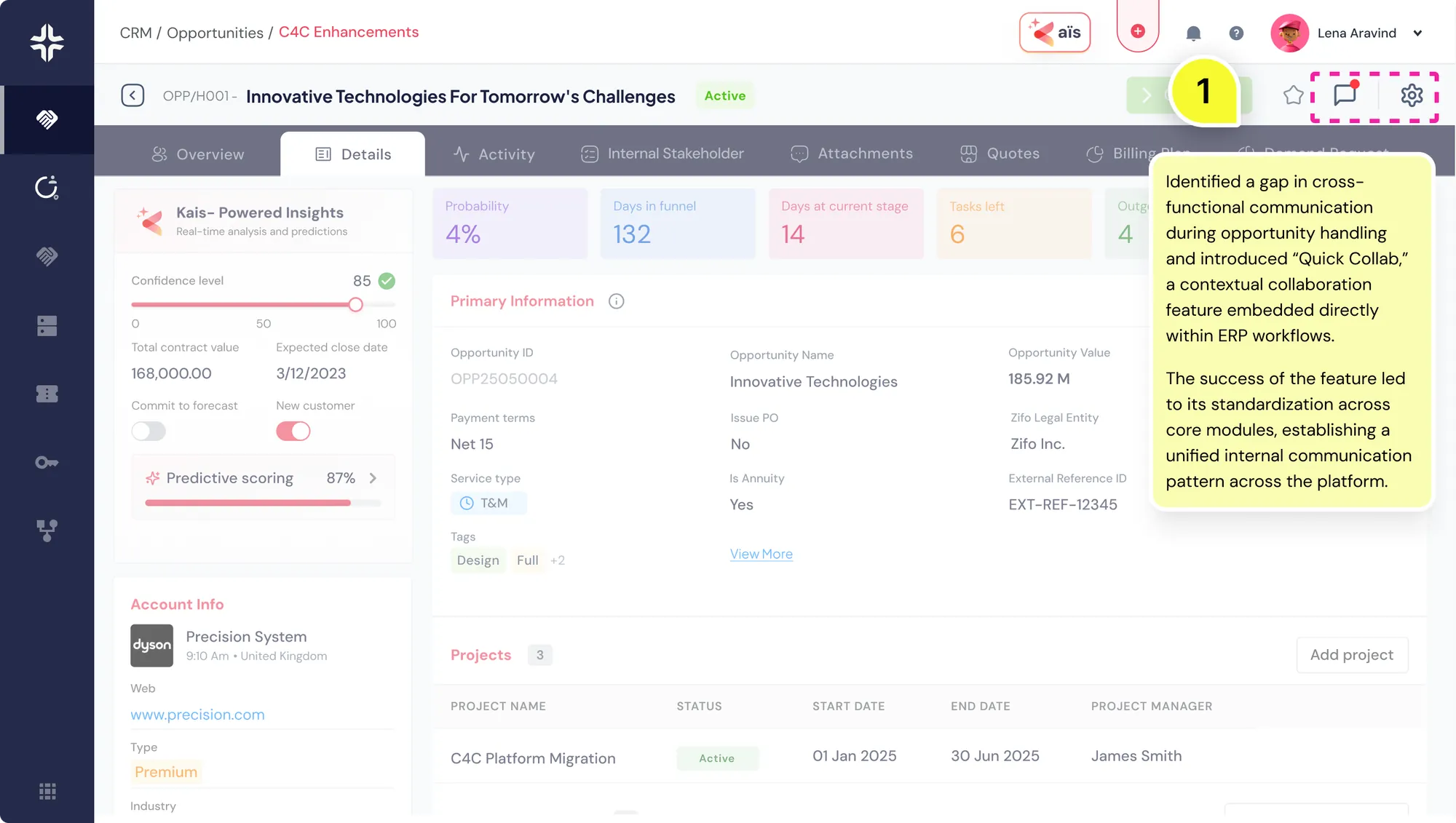
CRM Detail page
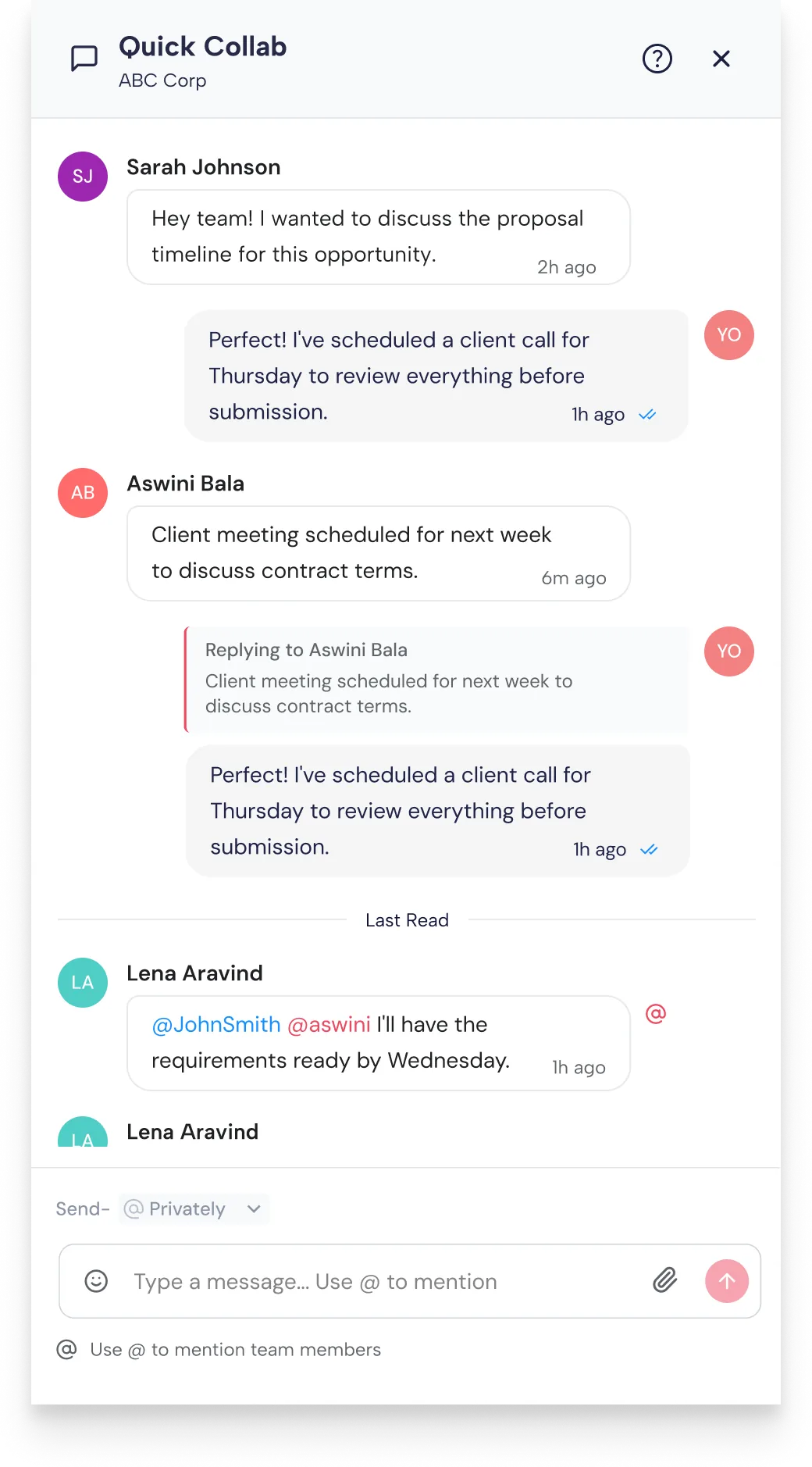
Quick collab
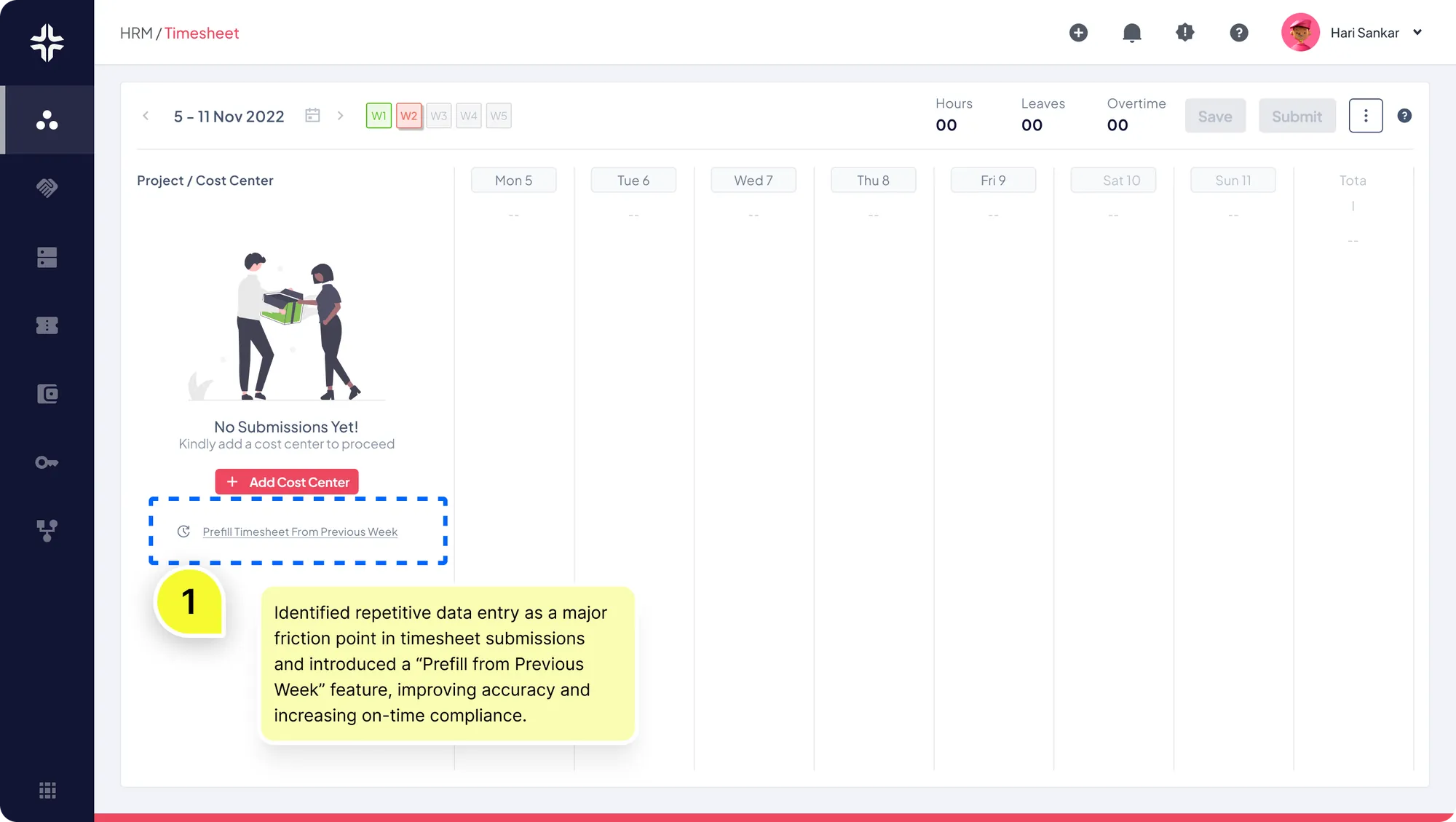
Timesheet booking
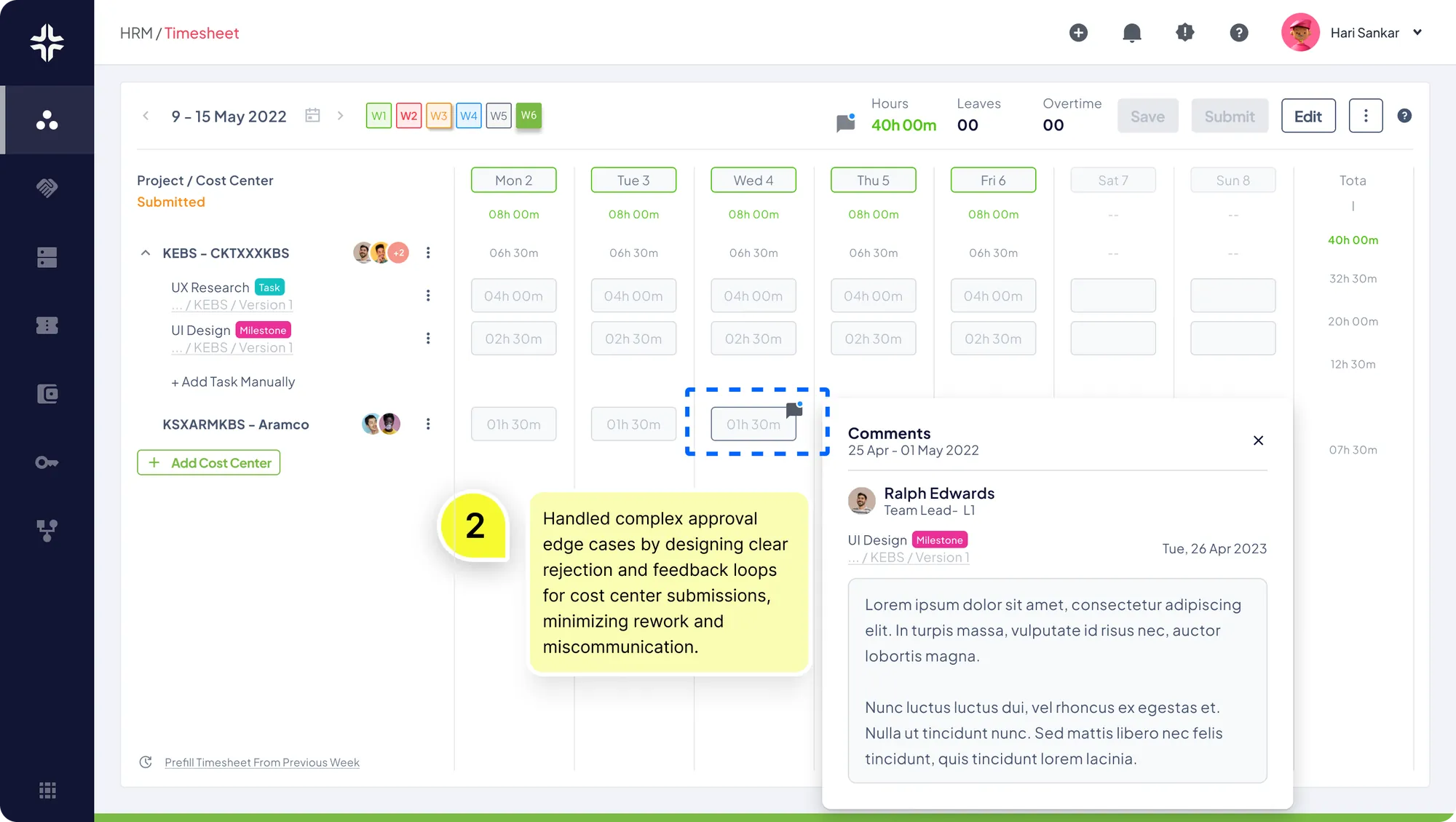
Timesheet booking
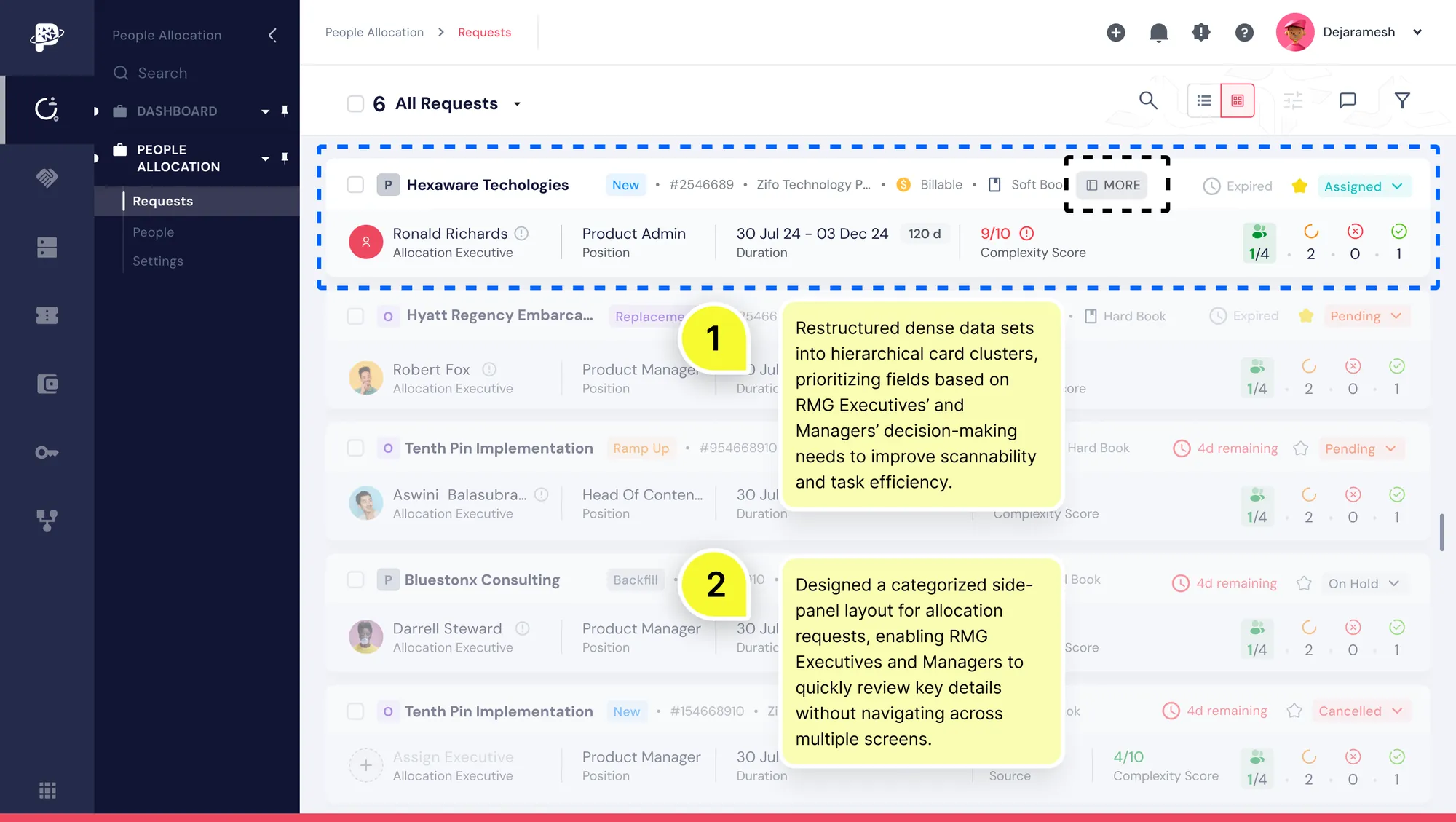
Resource Allocation Request page
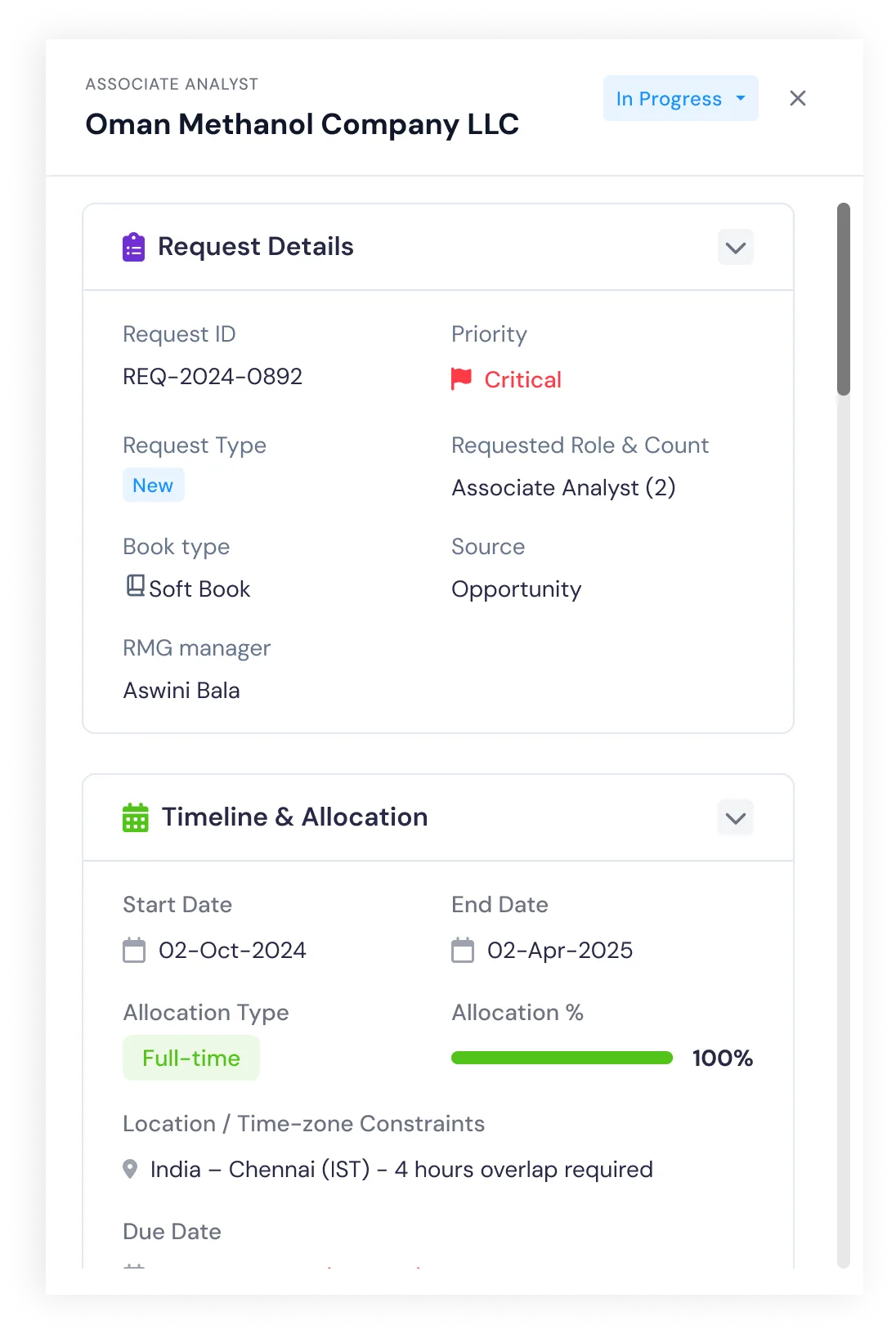
Resource Allocation More info view
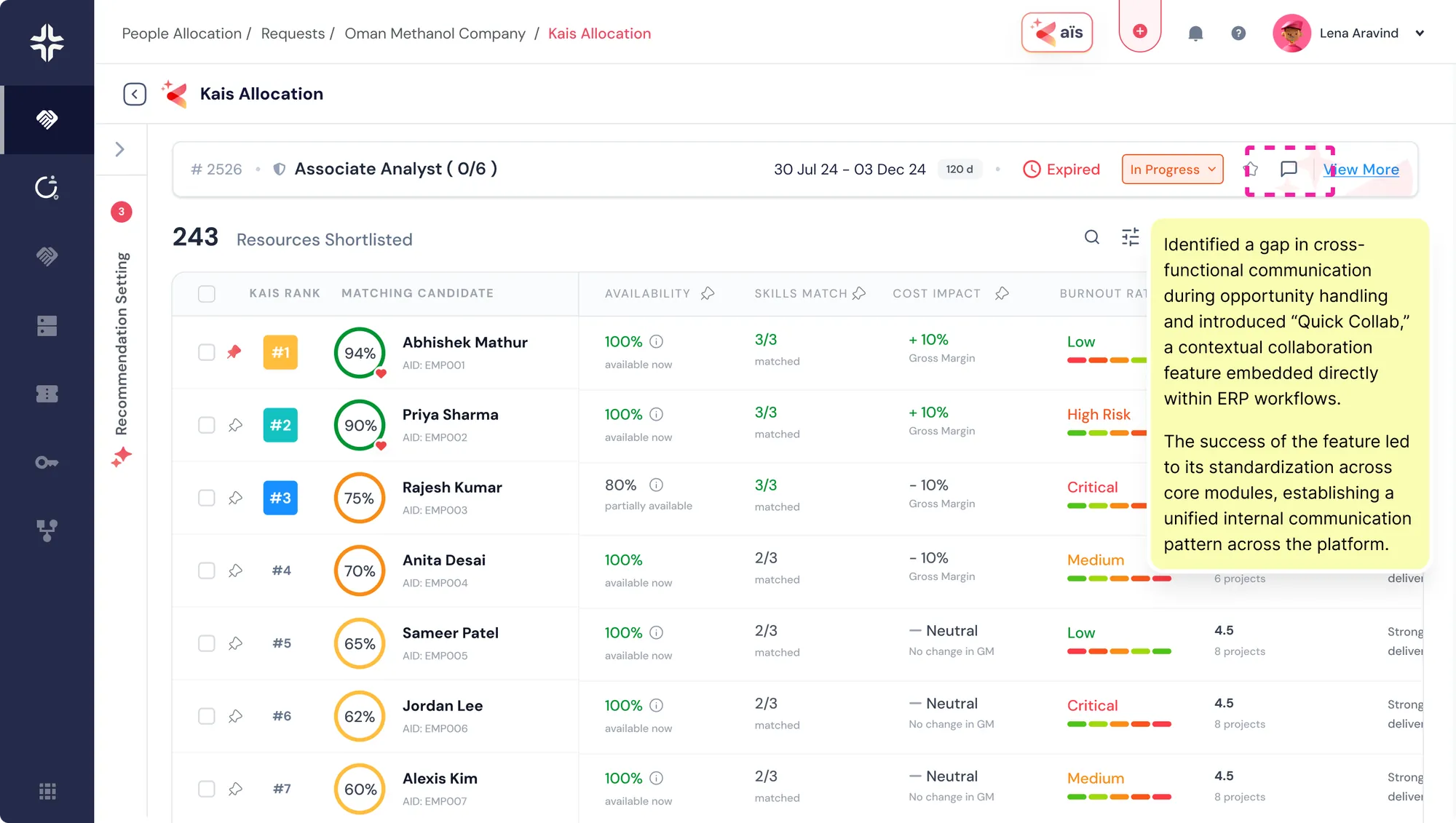
AI Smart allocation of resources
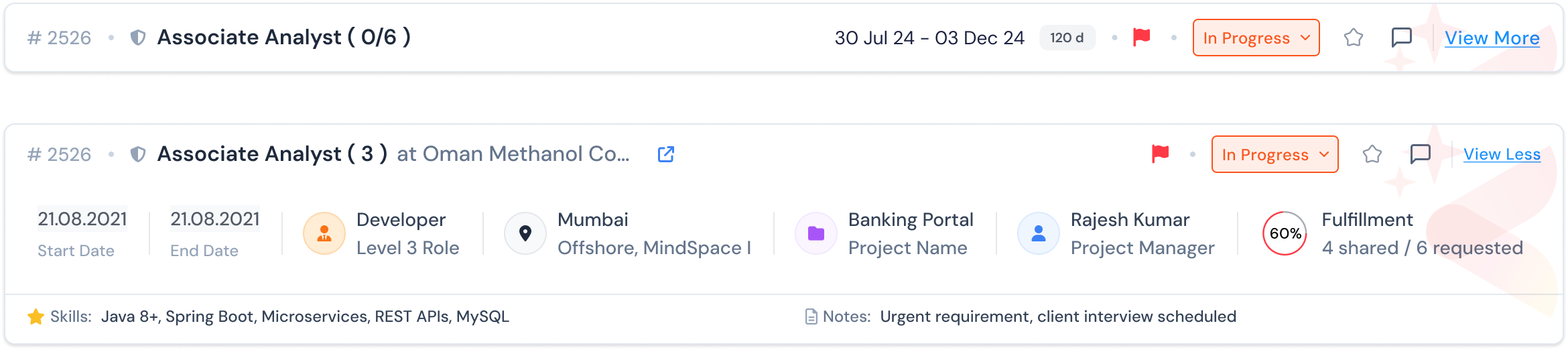
AI Smart allocation of resources
CORE MODULES
Solving it through core modules
Deal Creation & Pricing
Sales teams create deals using rate-card-driven pricing with real-time margin visibility. AI flags pricing risks.
Resource Allocation
Managers see skills, availability, and utilization. AI recommends suitable resources with human control.
Project Execution
Projects auto-generate timelines and budgets. AI continuously monitors delivery health and risk signals.
Time, Expense & Attendance
Employees log via lightweight web/mobile flows. AI reduces manual errors and flags anomalies.
Billing & Revenue
Finance tracks milestone billing and profitability. AI surfaces margin erosion and delayed invoices.
Unified Reporting
Leadership gets a single view of pipeline, delivery, and cash flow without stitching reports.
THE ROLE OF AI
KAÏS

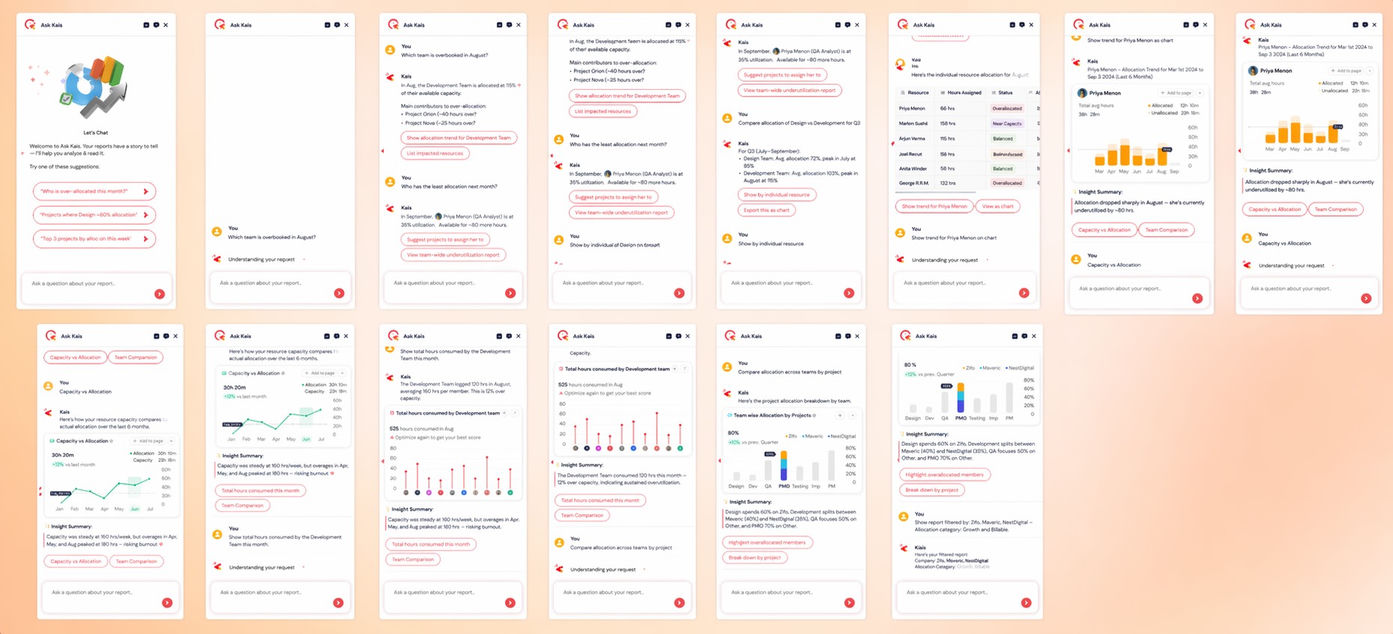
KAÏS operates inside each workflow, not as a standalone chatbot. It accelerates work—but never replaces accountability.
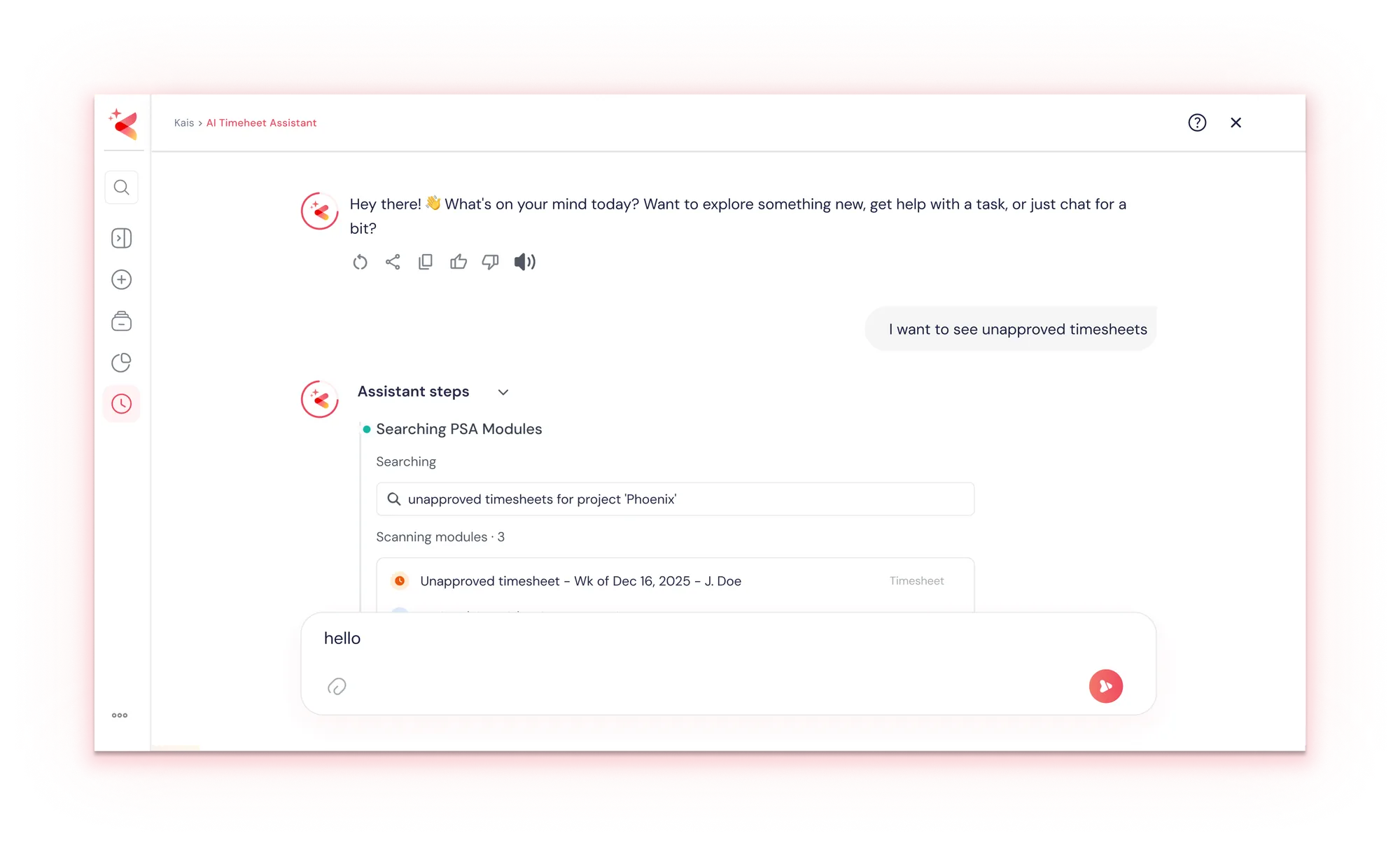
Thinking reasoning context of agents
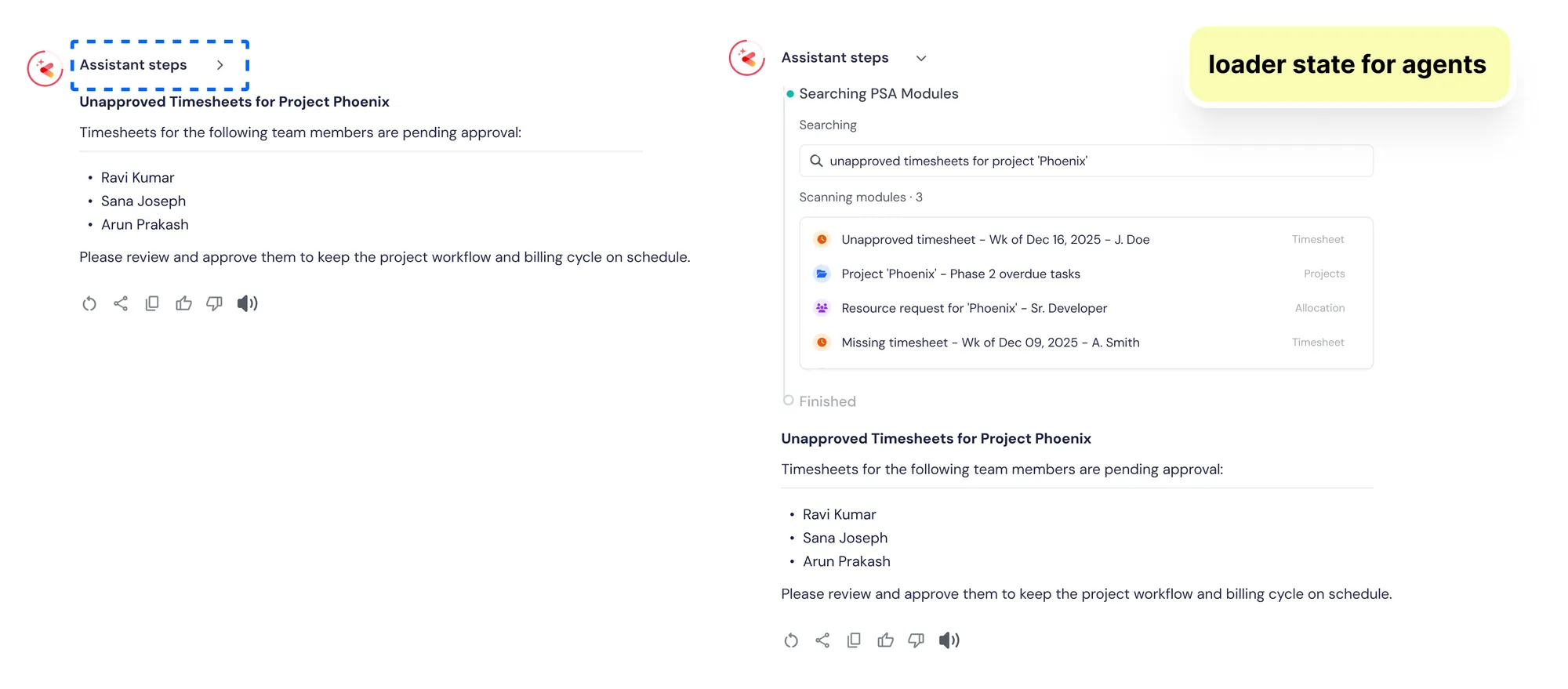
Thinking reasoning context of agents
What Kaïs does
- — Explains why something is at risk
- — Suggests next-best actions
- — Automates repetitive tasks
- — Keeps humans in control of irreversible decisions
AI was designed to assist, not obscure.
OUTCOMES & SIGNALS
Impact & Results
- •Faster quote-to-cash cycles
- •Reduced revenue leakage
- •Higher utilization and delivery confidence
- •Increased trust in AI-assisted decisions
- •One system of record across sales, delivery, HR, and finance
Qualitative Signals
- •Improved task efficiency across core ERP flows
- •Reduced onboarding friction for new hires
- •Strong internal adoption across teams
- •Design system foundations reused across modules
While not all metrics were externally measurable, internal signals showed lower error rates and faster adoption.
REFLECTION
What This Project Taught Me
Designing ERP systems is less about screens and more about mental models, decision timing, trust, and systemic thinking.
This project strengthened my ability to:
- •make high-stakes design decisions
- •work within hard constraints
- •collaborate deeply with PMs and engineers
- •think in systems, not surfaces
Why This Use Case Matters
💡 "This isn't about automating ERP workflows. It's about designing decision systems that scale with trust."