
KEBS 3.0 — reimagining an AI-native enterprise ERP
Senior Product Designer
2024 — Present
Web & Mobile
Enterprise SaaS
Unifying 12 modules into one adaptive shell
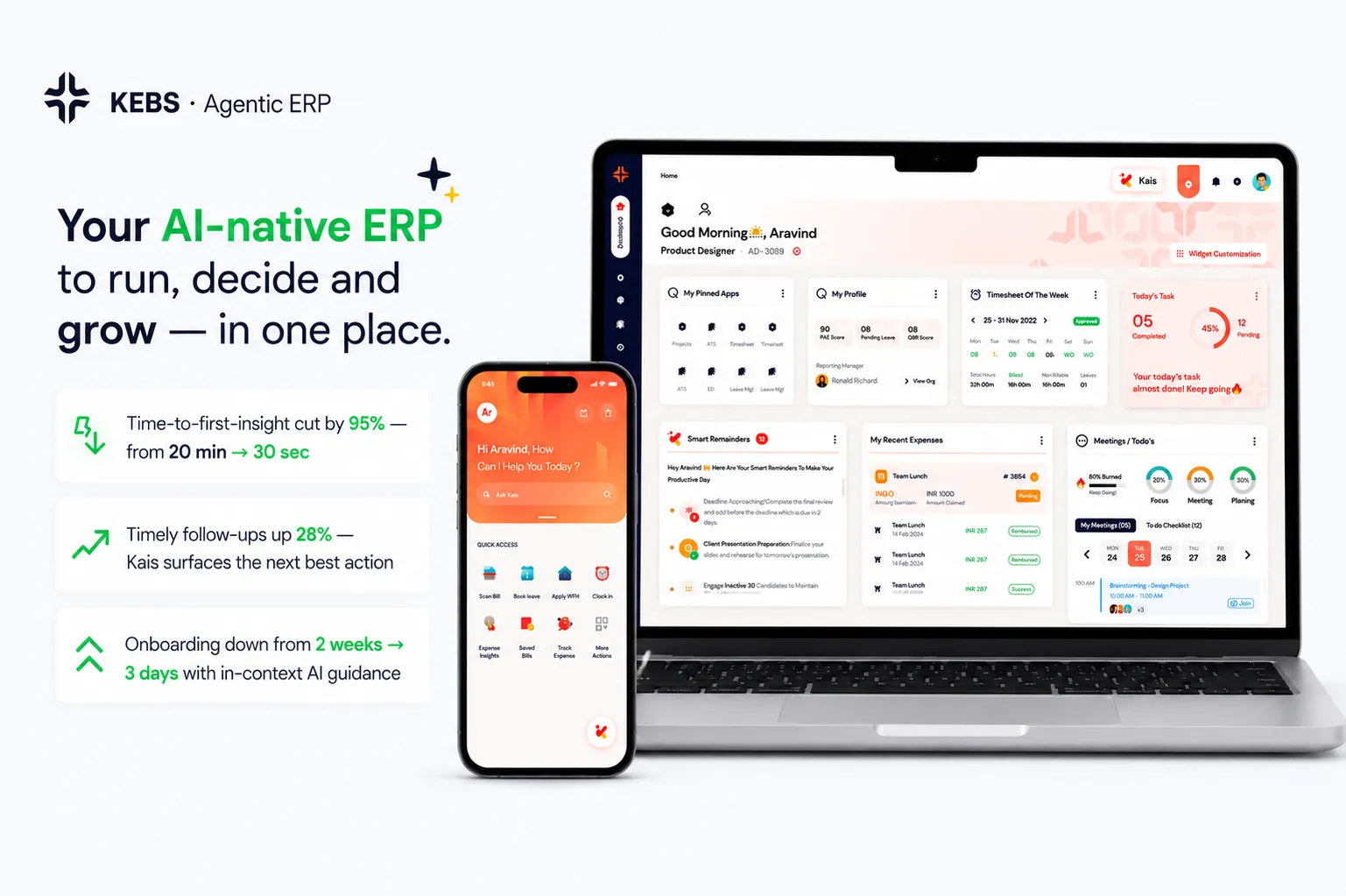
KEBS is an AI-native ERP for professional-services businesses. Version 2.x had grown into 12 separate module surfaces — Quote-to-Cash, Projects, Finance, HR, ATS, PSA, Timesheets, Expense, Resource, Reports, Ops, Settings — each with its own information architecture, navigation logic, and interaction patterns. Users had to context-switch between mental models depending on which module they were in.
KEBS 3.0 is a ground-up rebuild of the shell: one navigation model, one design system, one AI layer (Kaïs), one Command Center. Three personas — founder, finance lead, delivery manager — see the same product tuned to their role.
💡 Design bet: the fastest way to make an ERP feel modern isn't to redesign every screen — it's to redesign the shell that holds them.
One dashboard, three lenses
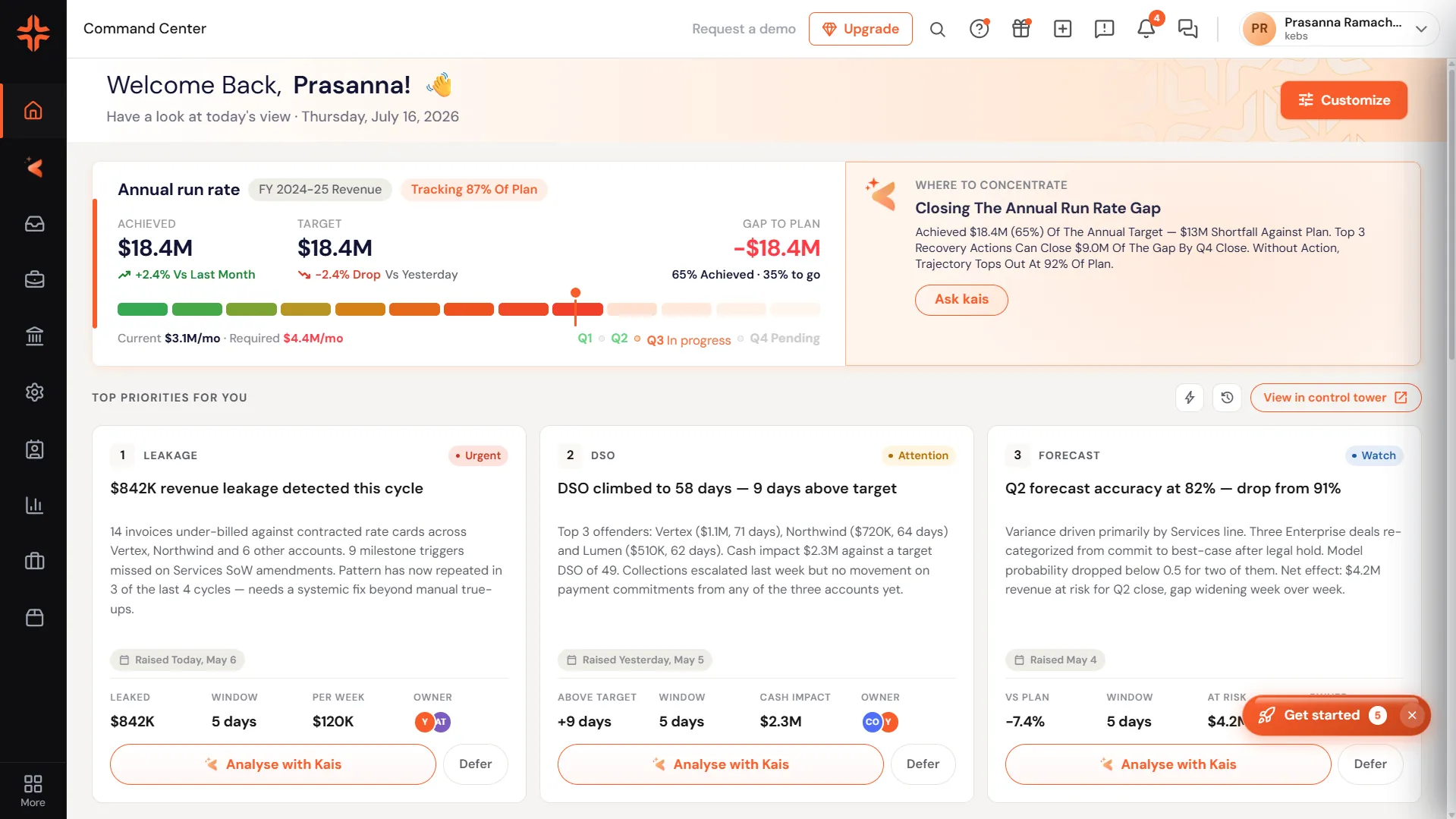
Founders want a portfolio-wide view. Finance wants precision on revenue and leakage. Delivery managers want the next action, not more data. Instead of building three separate homes, I designed one Command Center that reflows widgets by role.
Key decisions
- •Ranked widgets by role, not by module. Founders see Portfolio metrics + Revenue pipeline first; finance sees P&L Snapshot + Leakage; delivery sees Milestone tracker + Project health.
- •Kaïs opens over content, not beside it. Preserves the scan pattern of the dashboard. The user can dismiss and return to the exact same view without layout shift.
- •Every widget has a single "next action". Data without a next step is decoration. Every card links to the flow it implies (approve, drill in, message owner).
- •Widgets snap to a 12-column grid. Reordering is cheap. Adding a new module doesn't require a rework — it fits into the grid.
The Command Center isn't a page — it's an agreement about what matters right now. Different roles agree on different things; the shell honors that.
An AI assistant with a team of agents
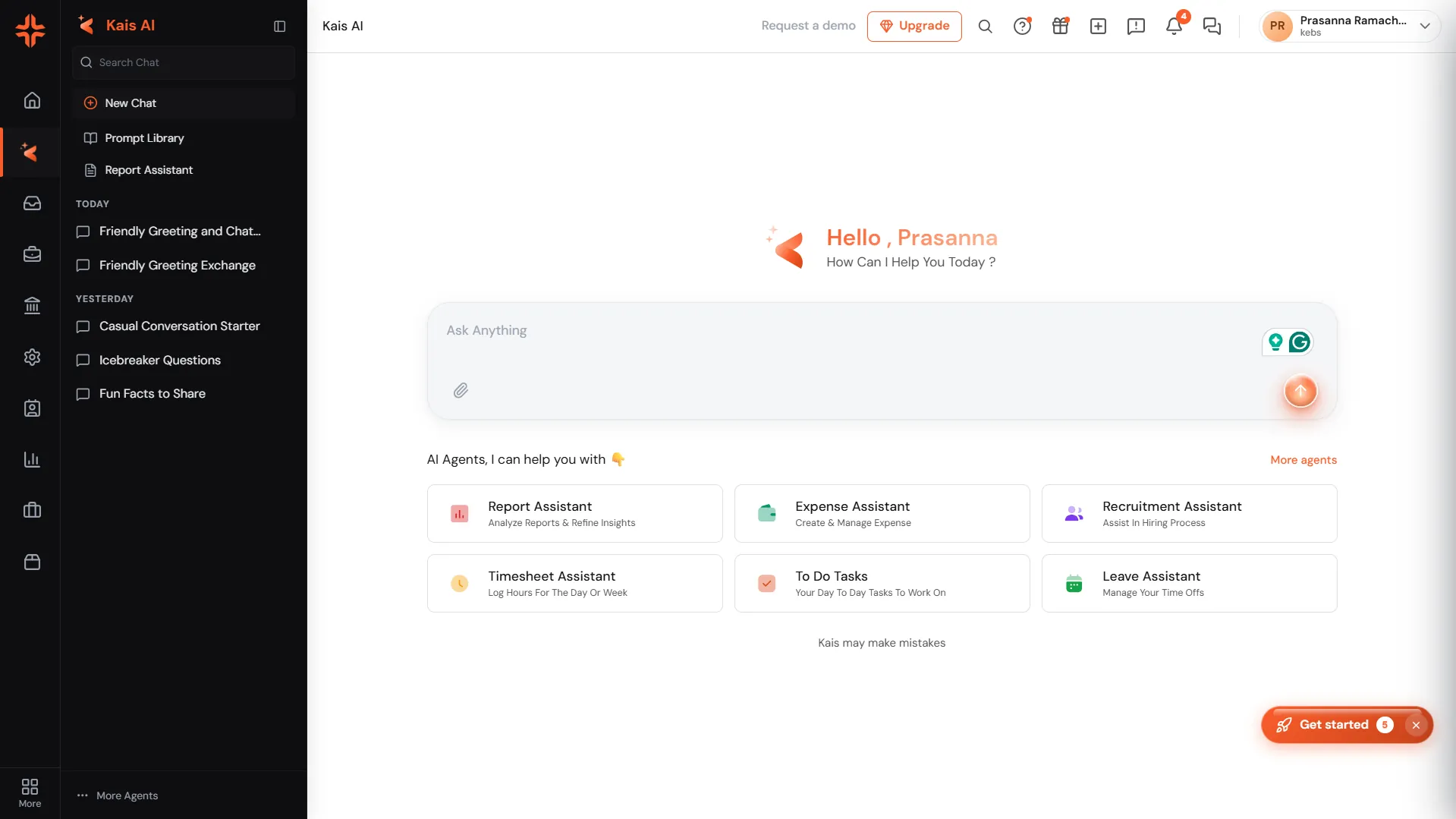
Kaïs is the AI layer that lives inside every KEBS surface. Not a chatbot bolted on — a first-class panel that opens over any page, understands the context the user is looking at, and can act on it. Ask a question, get an insight, run a task, or hand off to a specialised agent.
Under the hood, Kaïs is not a single model — it's an orchestration of purpose-built agents. A Reports agent knows how to query and visualise financials. A Resource agent understands allocations and utilisation. A Risk agent watches milestones, SLAs, and pipeline stalls. Kaïs routes each ask to the right agent, or composes them together for cross-cutting questions.
Key decisions
- •One panel, many agents. The user talks to "Kaïs". They never need to know an agent boundary was crossed — the panel is the product, the agents are the machinery.
- •Context-aware by default. Kaïs reads the page it opens over — the project, the report, the KPI. The user rarely has to explain what they mean.
- •Every answer has a next action. Insights aren't dead-ends. Each response ends with a suggested action (approve, drill in, message owner, export) — one click away.
- •Suggested prompts adapt to the surface. On the Revenue Pipeline, Kaïs suggests "explain the top-of-funnel drop". On Projects, it suggests "which milestones are at risk?" — the prompts change per page.
- •Handoffs are visible. When Kaïs hands off to a specialist agent, the user sees the transition — "Kaïs → Reports agent". Builds trust in the system.
First-run experience that ships value in 90 seconds
Enterprise onboarding is famously bad — long forms, empty states, forced tutorials. KEBS 3.0's onboarding shows real value within one minute of signup: sample data, a scripted "aha" moment (Kaïs summarising a fake project's health), and a prompted first action.
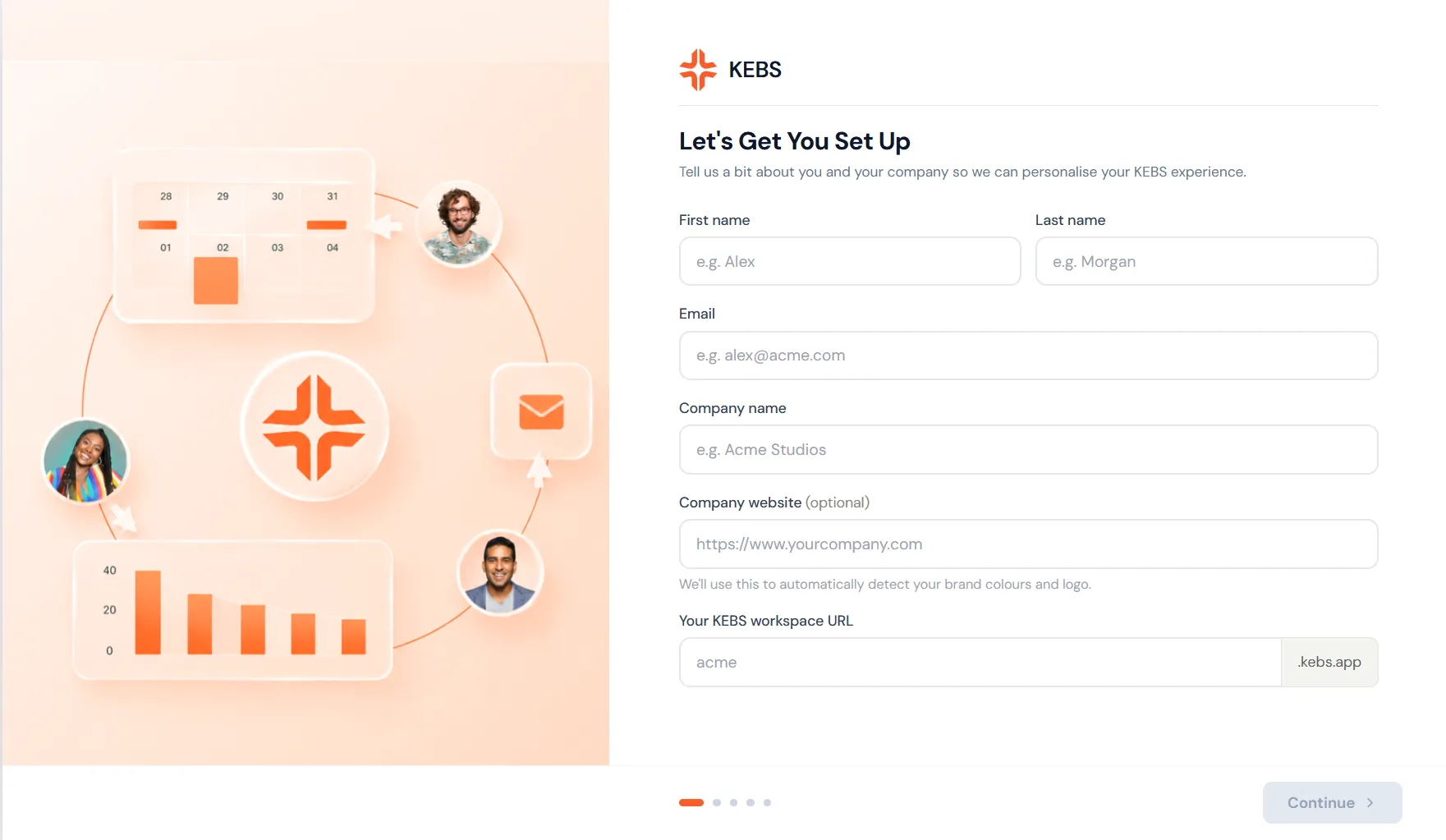
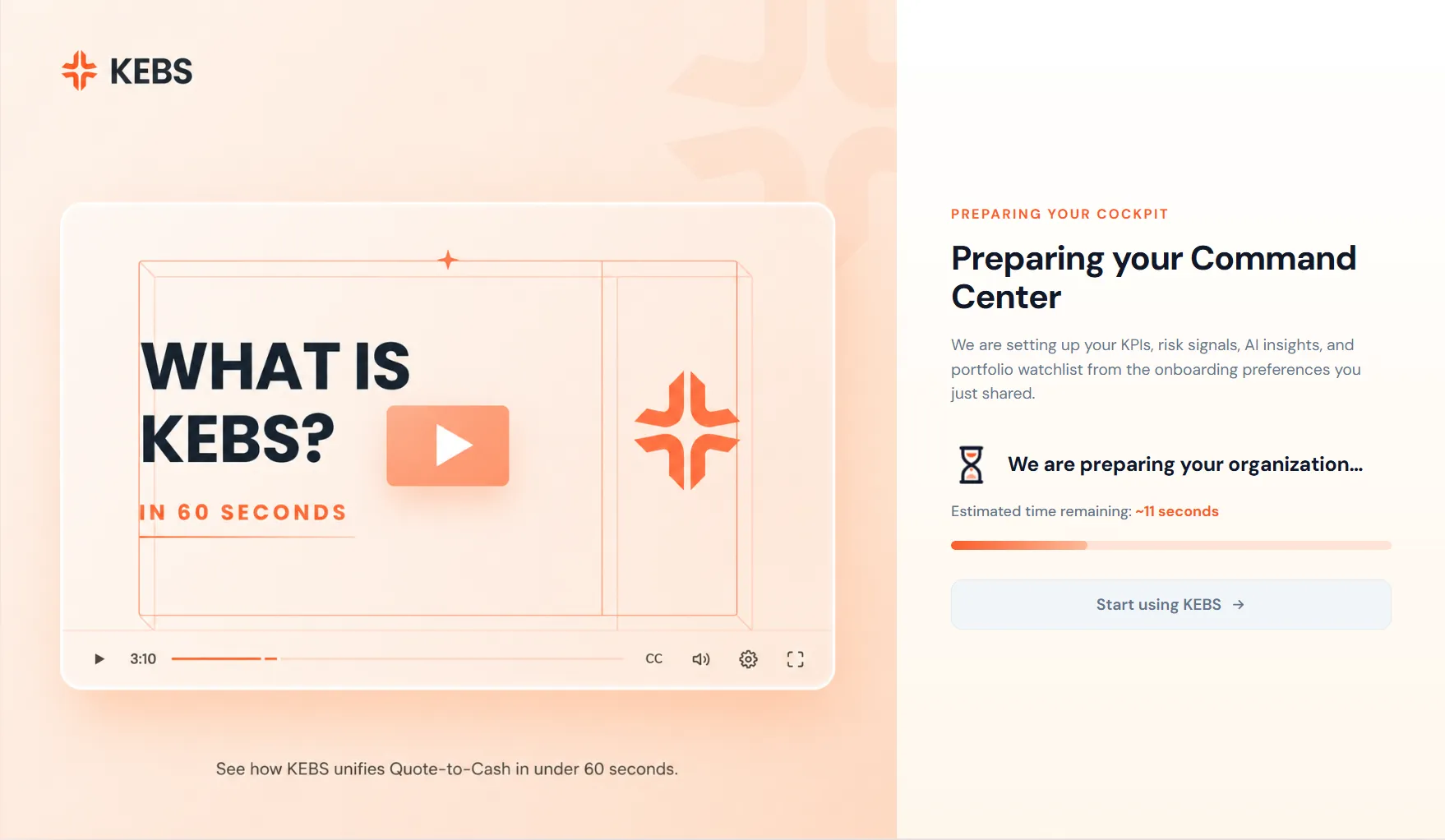
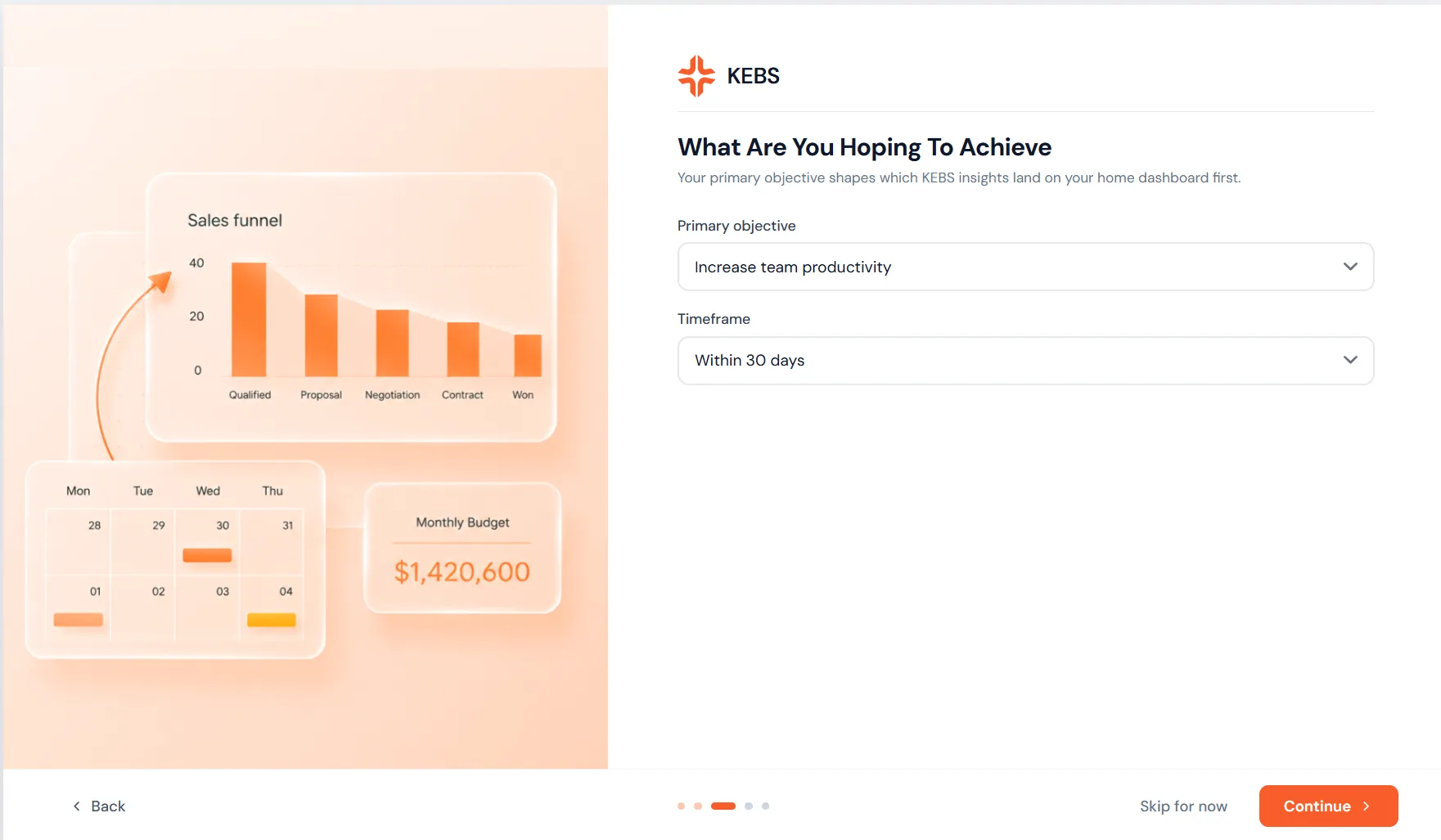
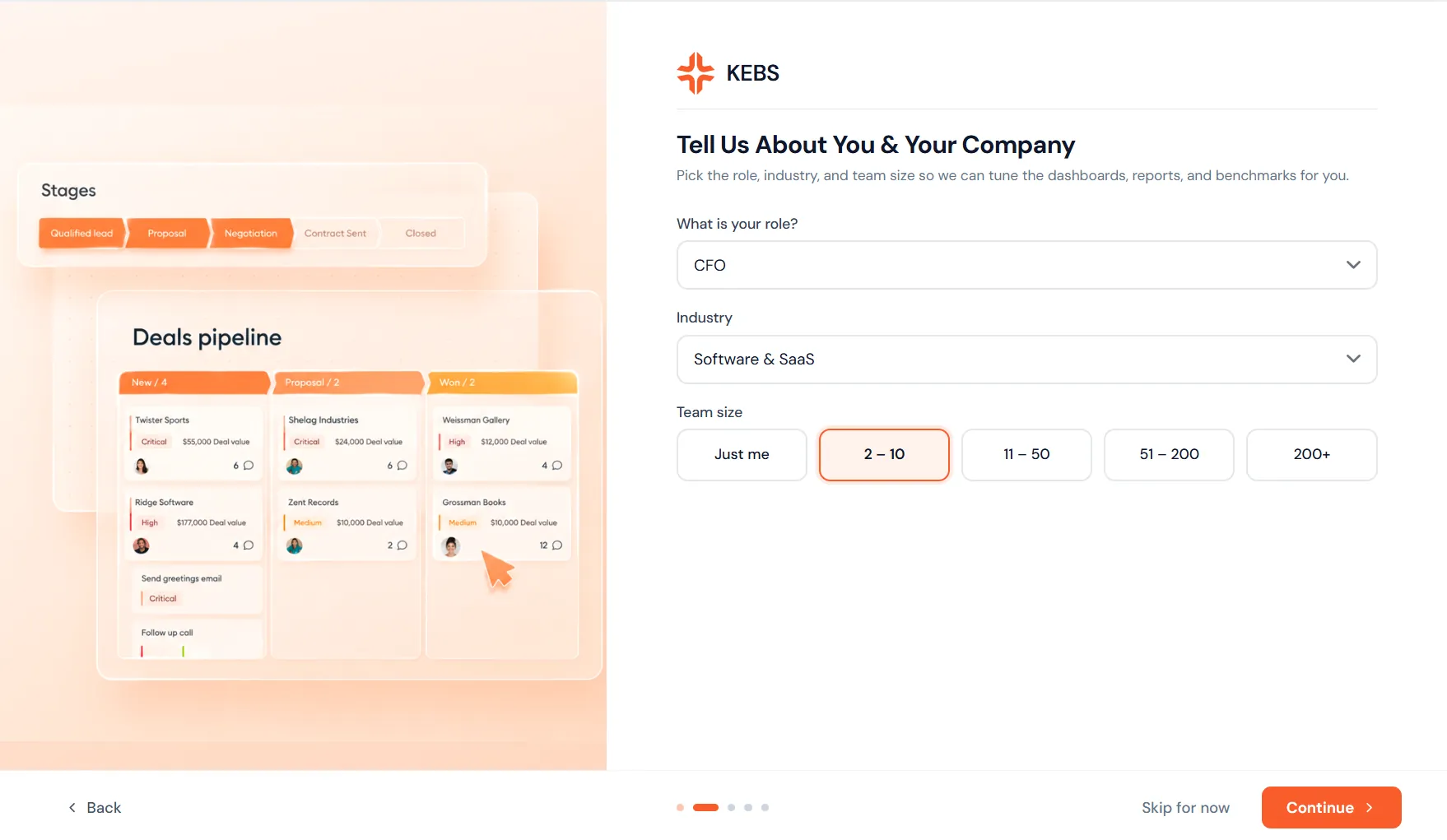
Sample data is on by default. The user sees the product working before they commit real information — a scripted "aha" moment within 90 seconds of signup.
Key decisions
- •Show, don't tell. Users see a populated dashboard on step 1, not a blank one. Empty ERP is scary; scaffolded ERP feels alive.
- •Progress lives in the shell, not a wizard. Setup steps appear as a slim strip in the header. Users can explore between steps without losing progress.
- •One question per screen. Reduces cognitive load. Every step feels light, even though there are eight of them.
- •Kaïs greets the user by name. Warm, not corporate. Aravind → "Hey Aravind, ready to run your first report?"
From "new project" to "running" in three fields
Creating a project used to take 14 fields across three screens. KEBS 3.0 collapses this into a lightweight modal with three required inputs (name, client, delivery lead) and lets the rest be filled in as the project runs.
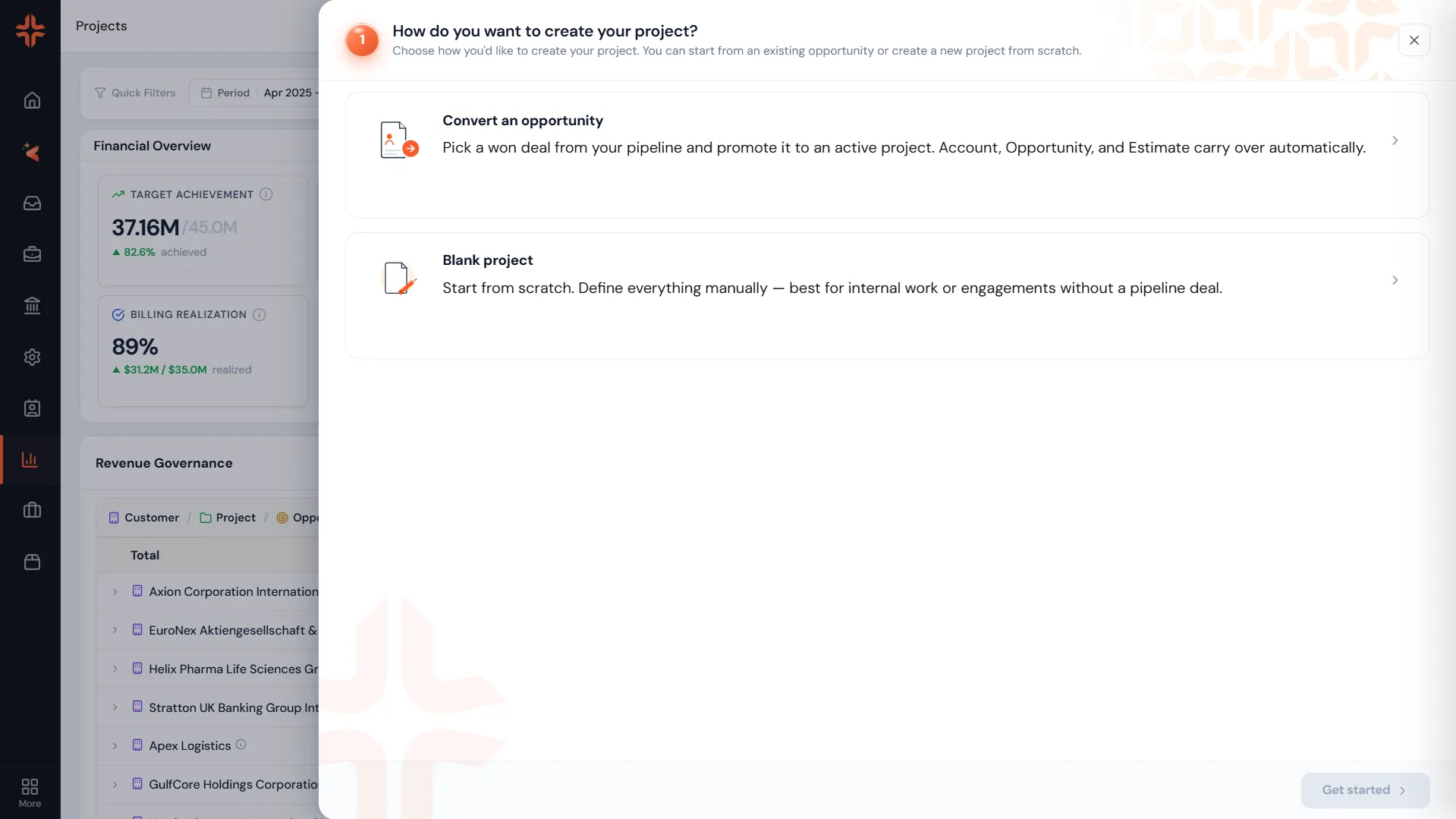
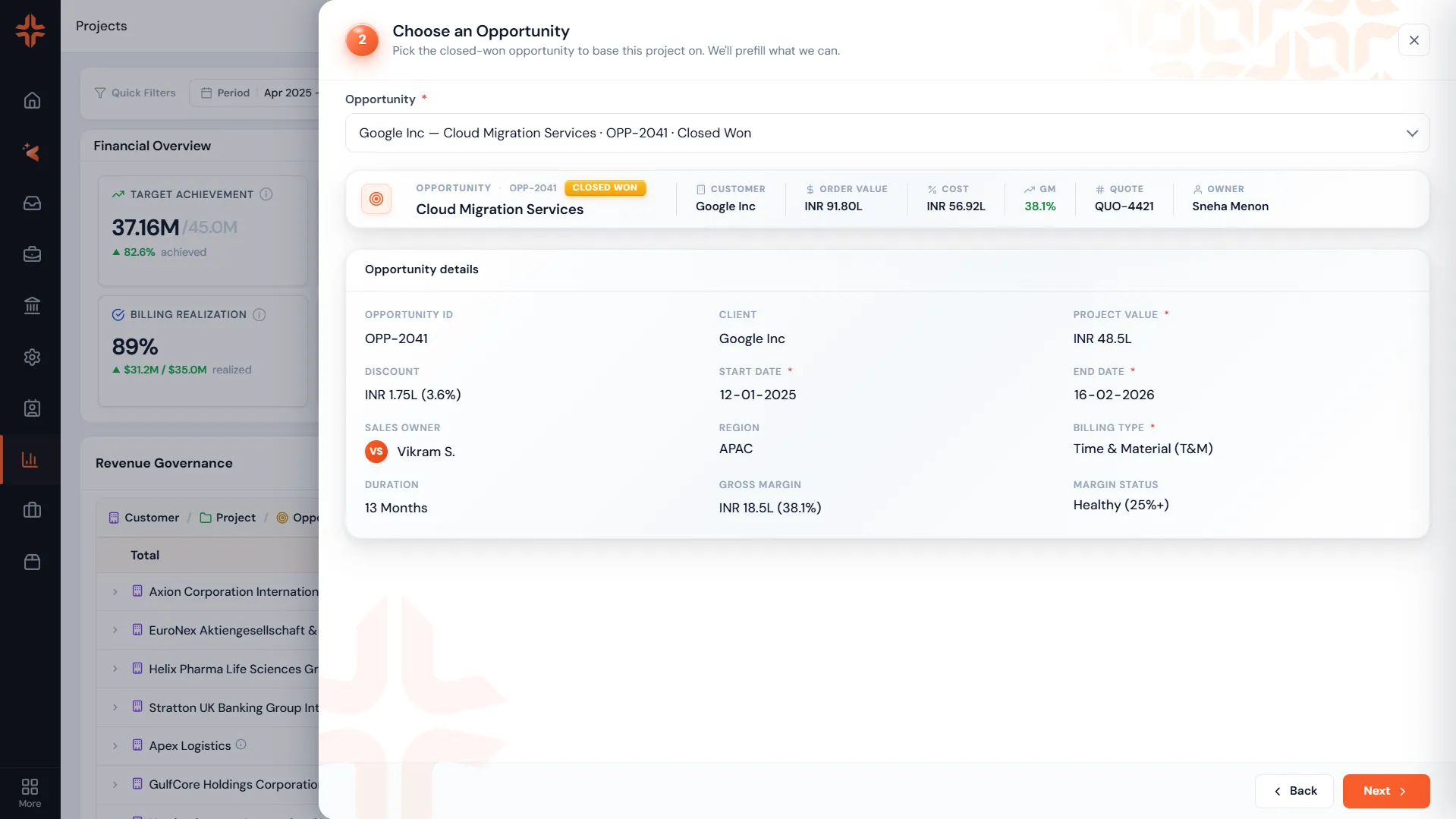
Everything else — currency, billing model, resource pool — has sensible defaults inferred from the client and the previous project.
Key decisions
- •Defaults do the work. Client → currency, region, previously used pods. The system remembers.
- •Deferred fields, not hidden ones. The 11 fields that used to be required become optional and prompted at the moment they matter (e.g. when logging the first hour).
- •Modal, not a page. Creating a project is a moment, not a workflow. The modal preserves the user's context on whatever page they were on.
Async collaboration that respects deep work
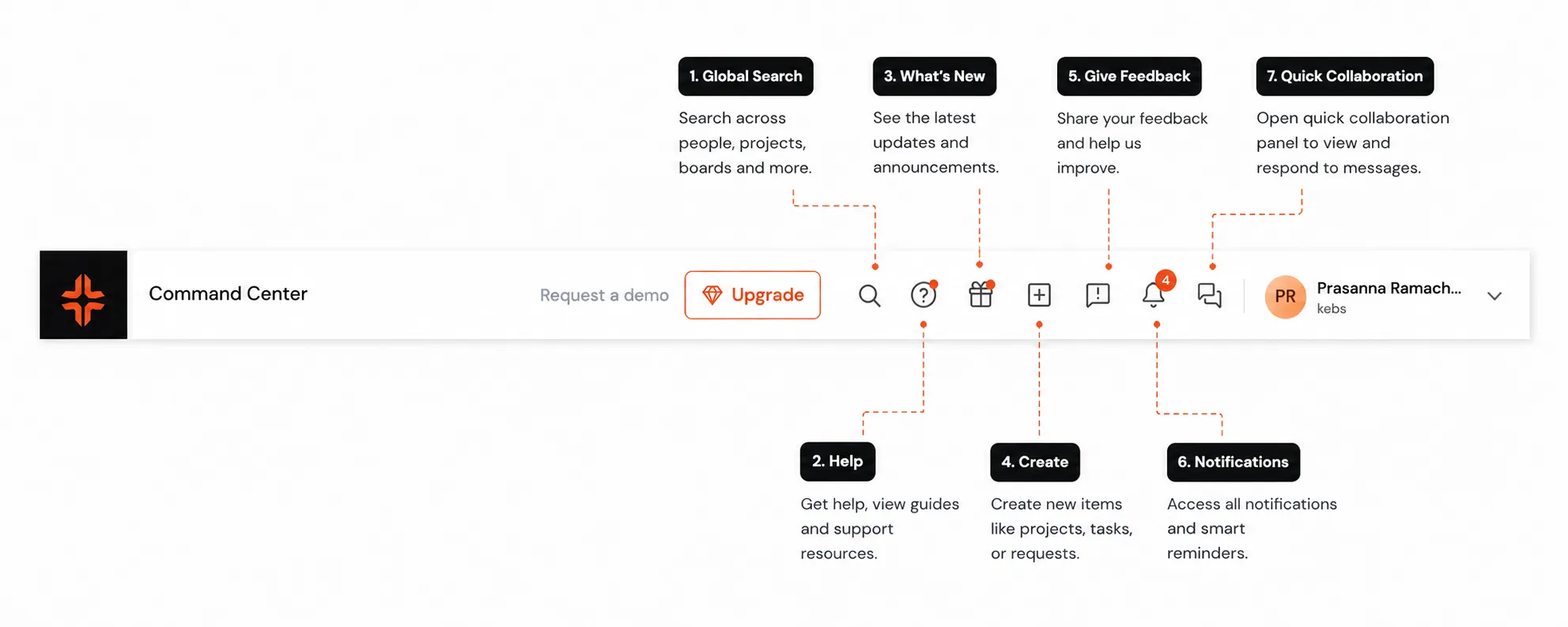
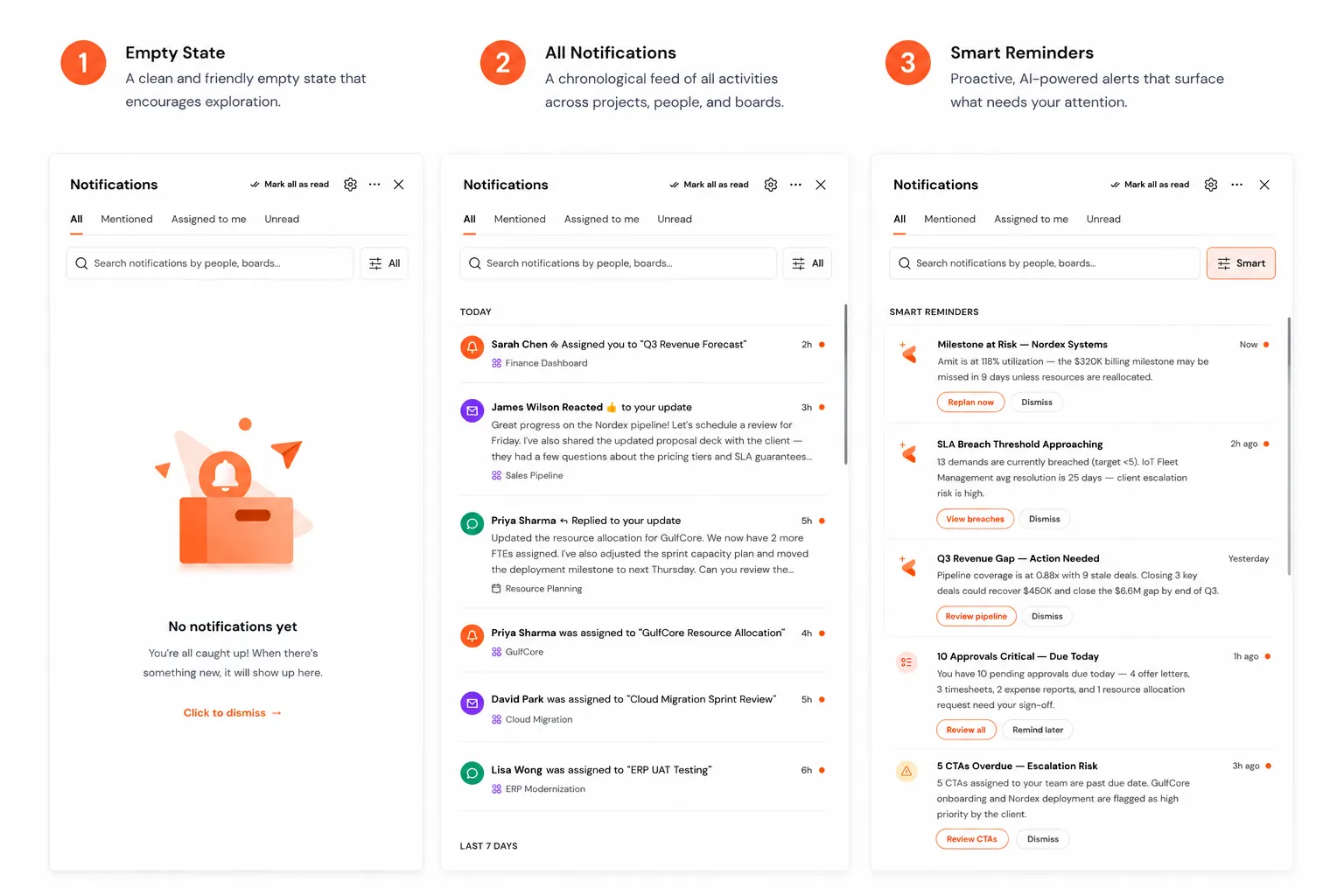
ERP tools produce a firehose of notifications. KEBS 3.0 introduces two paired concepts: a Notifications panel that prioritizes by role + risk, and Quick Collab — inline threads scoped to any card, cell, or KPI. No more losing decisions in Slack.
Key decisions
- •Notifications rank by risk × role. A budget overrun matters to finance urgently; the same event ranks lower for a founder viewing portfolio.
- •Threads are attached, not global. Every card, cell, and KPI can host a Quick Collab thread. The thread lives with the artifact — permanent context.
- •@mentions escape the app. Mentions send an email + Slack ping if the user is inactive. Async-friendly for global teams.
- •One "cleared" action per session. Users get 24 hours to act on a notification before it collapses into "yesterday" — reduces guilt-piles.
💡 "Enterprise collaboration usually means more messages. KEBS 3.0 tries the opposite — fewer messages, more context per message."
Making financials scannable in 8 seconds
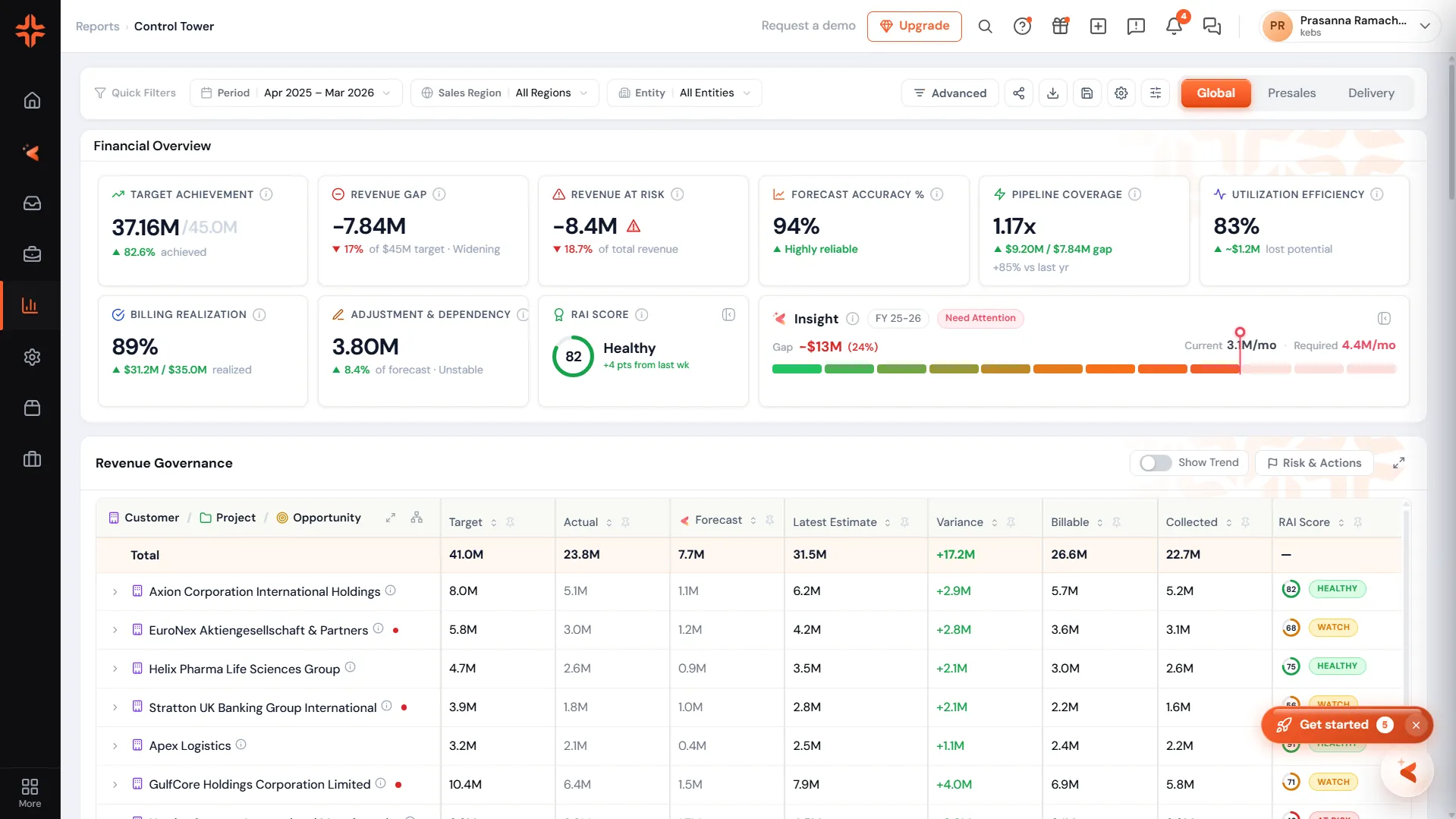
The Revenue Pipeline report is the CFO's most-visited surface. In KEBS 2.x it was a table with 24 columns. In 3.0 it's a visual pipeline — stages, deal size, likelihood, expected close, all mapped to a horizontal flow with drill-in on click.
Key decisions
- •One insight above the fold. The CFO shouldn't have to hunt. Kaïs pulls the single most-actionable insight to the top of every report.
- •Visual first, table second. The pipeline is a visual by default. Users toggle to table for export or precision drill-in.
- •Every stage links to the deal list. No dead-ends. Clicking a stage shows the deals in it; clicking a deal opens the record.
- •Time-boxed by default. Reports default to "This quarter", not "All time". Reduces load and matches how CFOs actually think.
Every hire, one signal-dense workspace
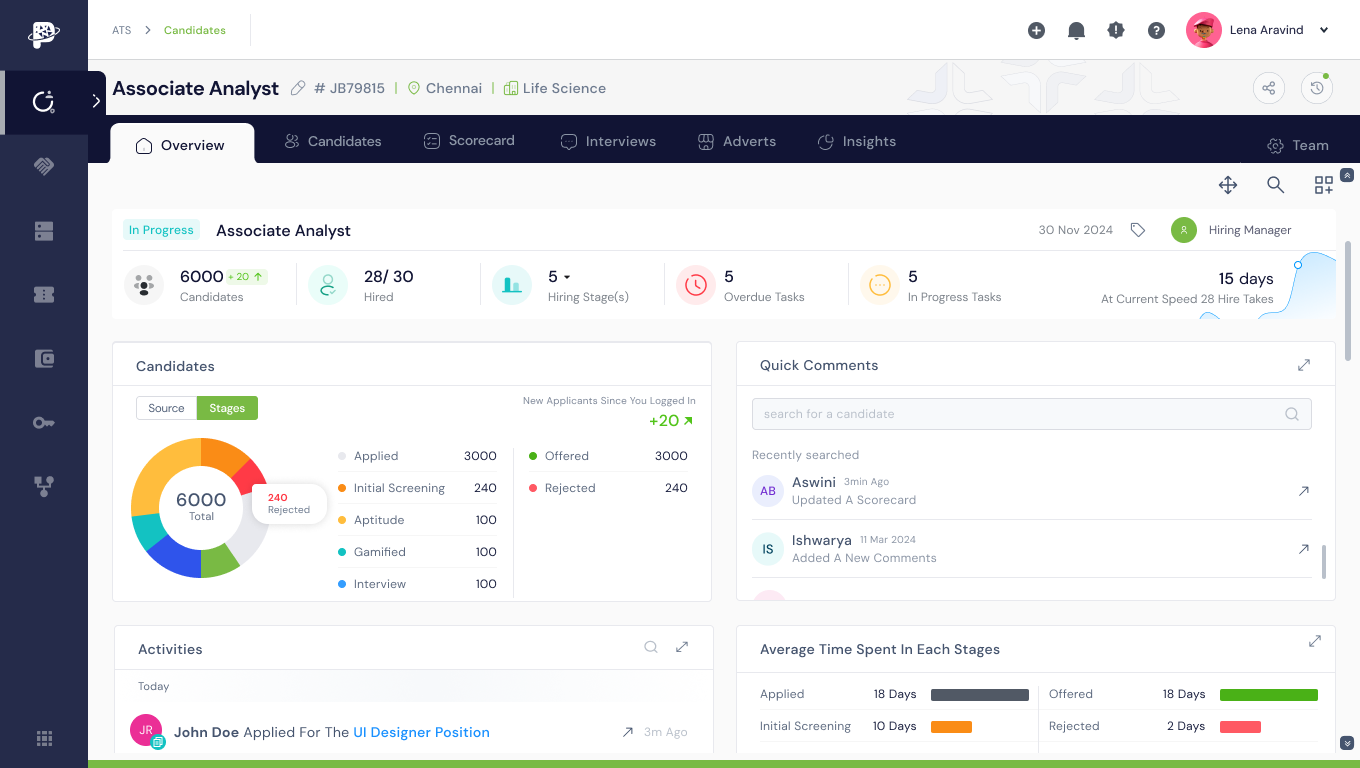
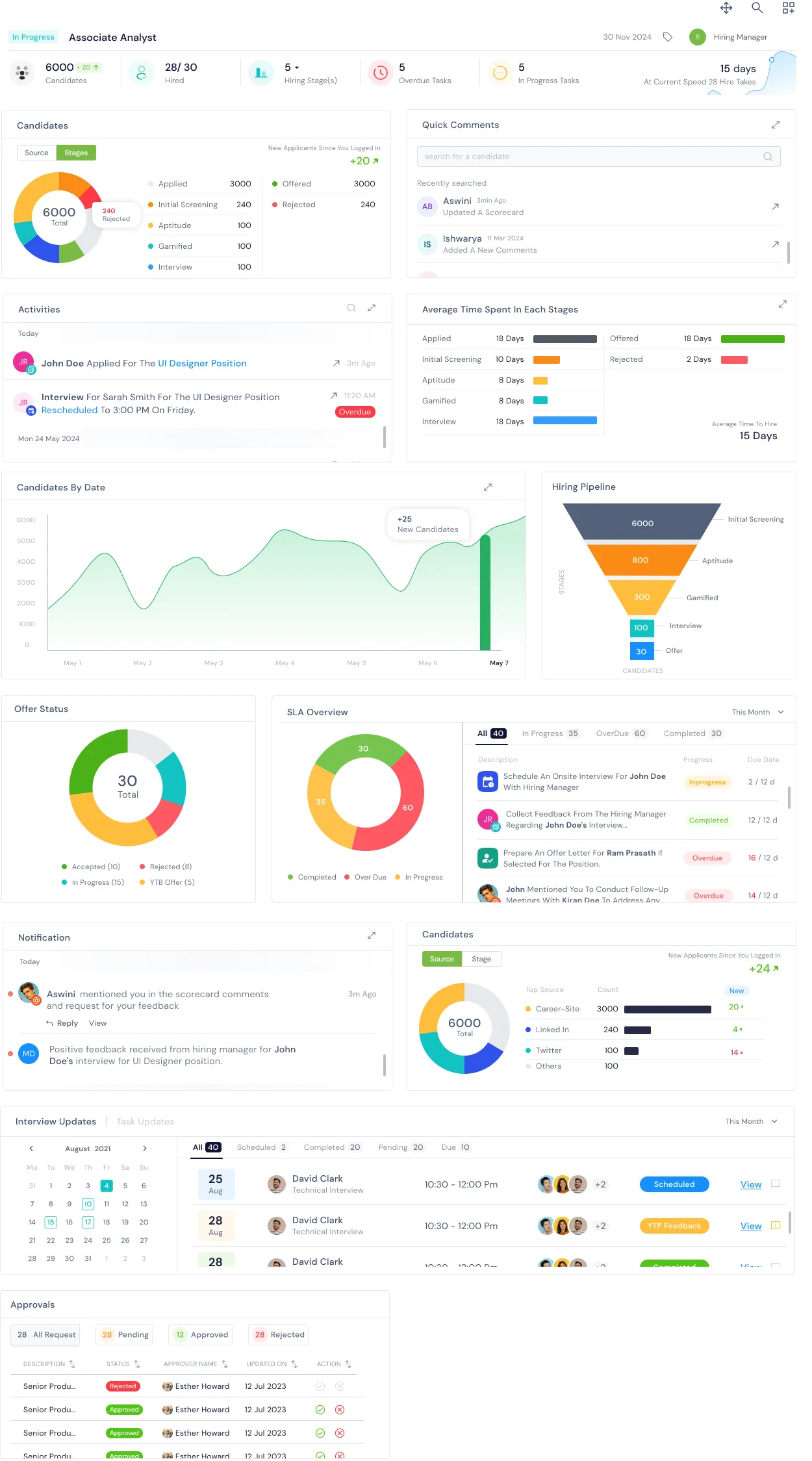
Recruiters were bouncing between six tools — job board, spreadsheet, calendar, email, feedback docs, and the offer tracker. KEBS 3.0 collapses the entire hiring lifecycle into a single job-level workspace: pipeline, activity, SLAs, sources, offers and interview updates — all on one screen, all state-synced in real time.
Key decisions
- •A single job-level workspace. One screen shows the whole role — candidates, activity, SLAs, sources, approvals. No tabbing between five tools mid-conversation with a hiring manager.
- •Funnel first, table second. The candidates donut and hiring pipeline funnel land above any list. Recruiters see where drop-off is happening before they touch a single row.
- •SLA breaches surfaced, not searched. Overdue tasks, over-SLA candidates and stalled offers are chipped in colour on the same surface — no dashboard to open, no report to run.
- •Every widget is a jumping-off point. Click a funnel stage → drop into that candidate set. Click a source ring slice → filter the pipeline. Click an offer status → open the offer record. The dashboard is the app.
- •Time-boxed by default. Everything defaults to "This month" (or the current requisition window). Historical data is one filter away, never in the way.
One primary action per surface
A common enterprise sin is having five equally-weighted buttons at the top of every page. KEBS 3.0 enforces a hierarchy: one primary CTA (orange), one secondary (outlined slate), the rest as text links or into overflow. This is a design-system rule, not a suggestion.
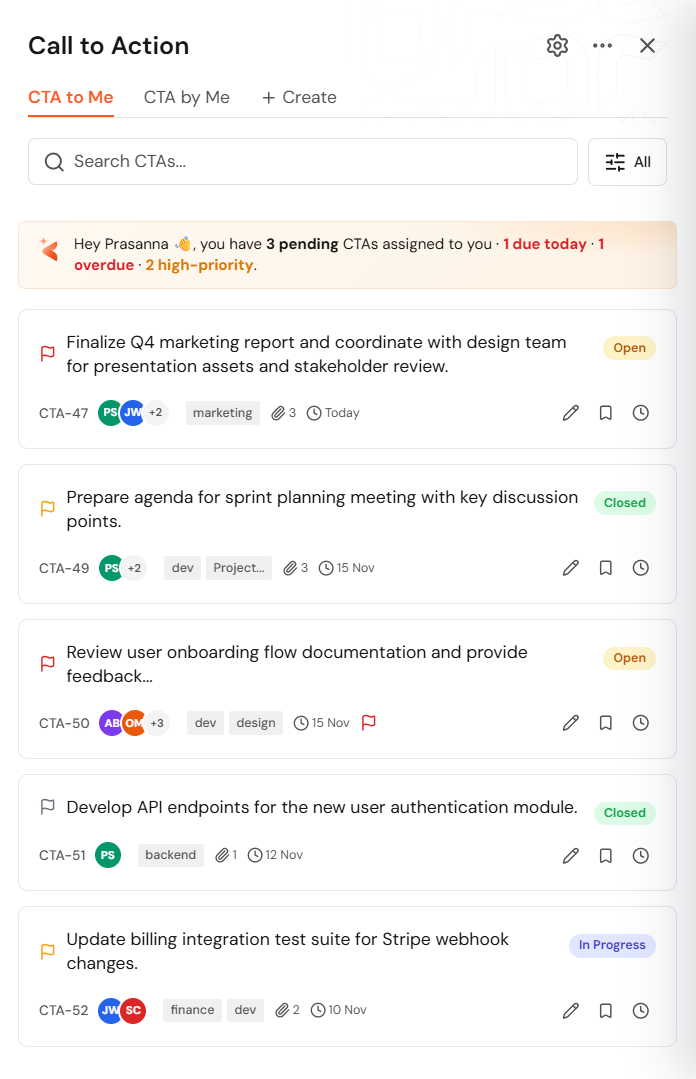
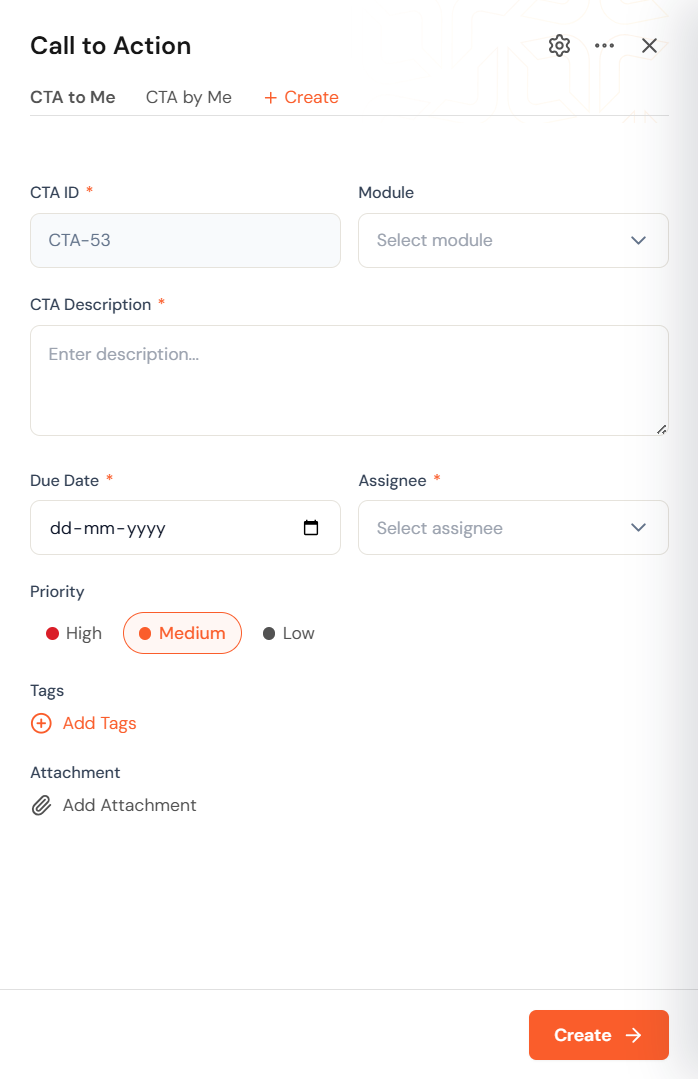
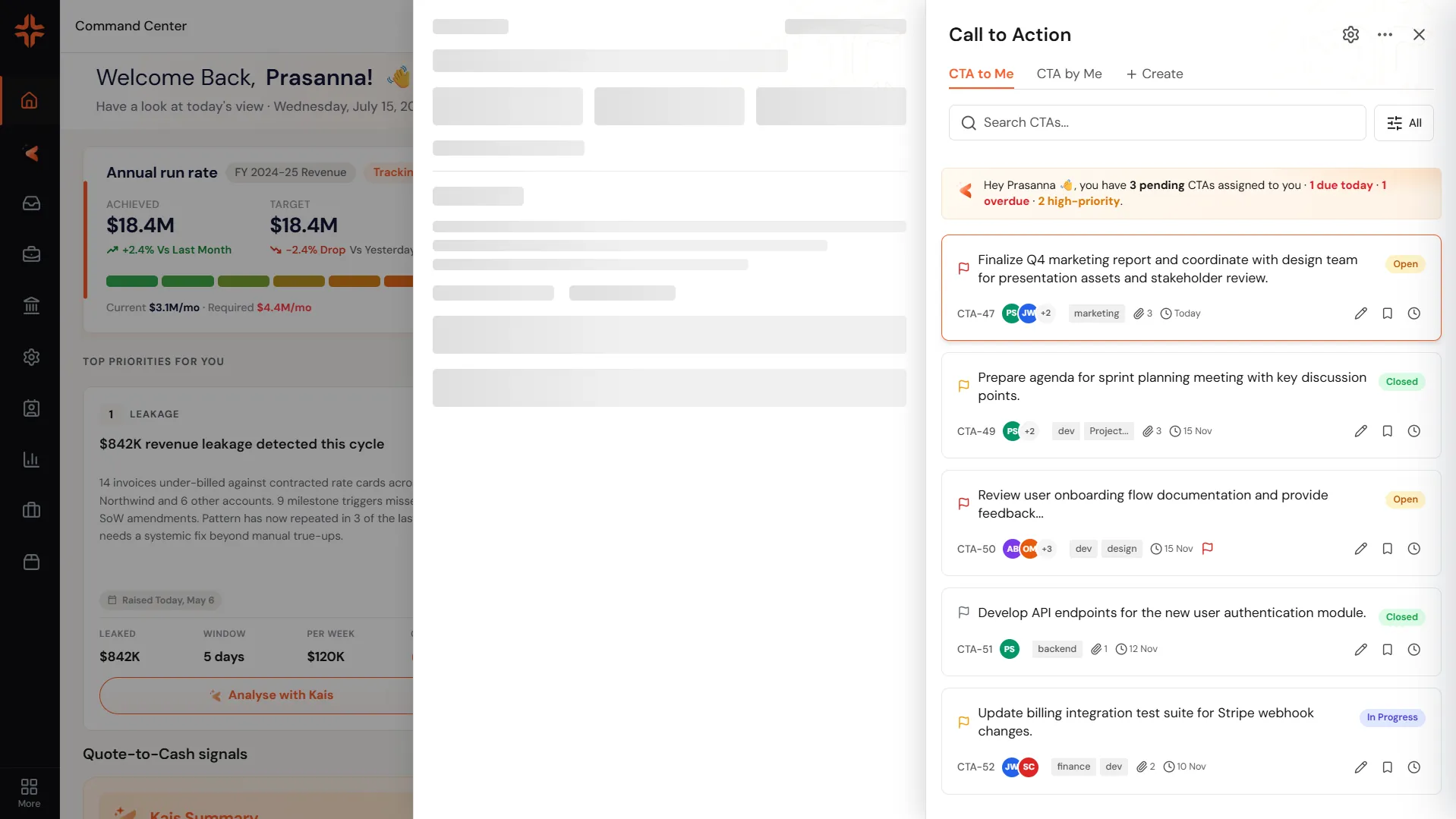
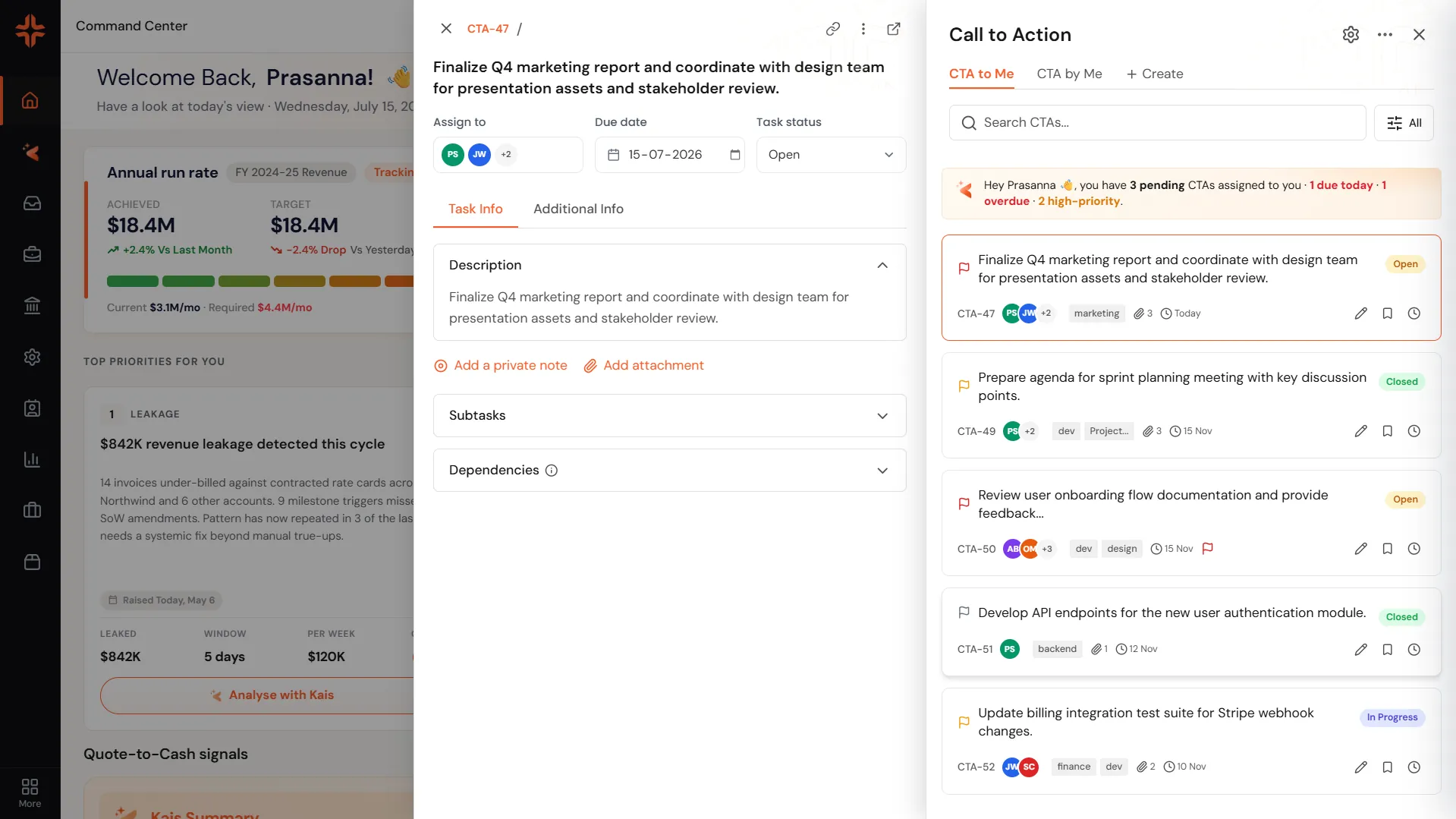
Mobile and desktop share the same hierarchy — one primary CTA, one secondary, everything else in overflow. The rule holds regardless of surface.
Key decisions
- •One primary CTA per surface. Removes the "which button do I press?" moment. The primary is always where you're looking.
- •Destructive actions live in overflow. Delete, archive, and export never sit next to the primary. Reduces mis-clicks in high-stakes flows.
- •Sticky primary on scroll. On long pages (like Reports and Project detail), the primary CTA sticks to the top-right so it's never chased.
What KEBS 3.0 shipped
What KEBS 3.0 taught me
Redesigning an ERP is less about screens and more about mental models. The shell decisions — one navigation, one AI layer, one design system, one Command Center — carry the weight of the product. When those decisions are right, individual features feel obvious. When they're wrong, no amount of screen polish saves you.
This project strengthened my ability to:
- •Make high-stakes design decisions on ambiguous, cross-team problems
- •Work within hard constraints (existing modules, live customers, no downtime)
- •Partner with engineering on tokenized systems from day 1
- •Think in shells and layers, not screens
- •Defend a "less is more" position in an enterprise room
Great enterprise design isn't shipping new features —
it's removing a decade of complexity.